Today i installed the lateste build of windows 10 Preview 15063 andafter the update was complete, the system worked just fine. But after installing the parallels tools and restarting, the system just never starts again. It was stuck in a bluescreen and nothing could solve it but returning to a previous snapshot. anyone with the same issue?

Install the app
How to install the app on iOS
Follow along with the video below to see how to install our site as a web app on your home screen.
Note: This feature may not be available in some browsers.
You are using an out of date browser. It may not display this or other websites correctly.
You should upgrade or use an alternative browser.
You should upgrade or use an alternative browser.
Windows 10 build 15063 blue screen after installing Parallels Tools
- Thread starter PedroH1
- Start date

Maria@Parallels
Problem solver
Hi, please try to boot your VM in safe mode, uninstall tools and reinstall it again.Today i installed the lateste build of windows 10 Preview 15063 andafter the update was complete, the system worked just fine. But after installing the parallels tools and restarting, the system just never starts again. It was stuck in a bluescreen and nothing could solve it but returning to a previous snapshot. anyone with the same issue?
Hey, my VM doesn't even boot to safe mode. It goes to Bluescreen right after showing the windows logo. I tried to boot in safe mode but no successHi, please try to boot your VM in safe mode, uninstall tools and reinstall it again.


@PedroH1 please share the screenshot of the exact error message of BSOD so that we could help!Hey, my VM doesn't even boot to safe mode. It goes to Bluescreen right after showing the windows logo. I tried to boot in safe mode but no success
I have a very similar problem.
* MacBook Air
* Mac OS X El capitan
* Parallels 12.1.3
* Windows10 Pro
Upon booting Windows, it says "PC ran into a problem and needs to be restarted; we'll restart for you" and ends up in an infinite loop doing so. The message Windows gives in addition is "System thread exception not handled".
I found a thread on this forum reporting the same problem that should be resolved via the 'repair' option of Windows but I can't enter Windows in the first place. Similarly, it suggests using F8 to shortcut to the fixing module of Windows but this doesn't seem to work either.
* MacBook Air
* Mac OS X El capitan
* Parallels 12.1.3
* Windows10 Pro
Upon booting Windows, it says "PC ran into a problem and needs to be restarted; we'll restart for you" and ends up in an infinite loop doing so. The message Windows gives in addition is "System thread exception not handled".
I found a thread on this forum reporting the same problem that should be resolved via the 'repair' option of Windows but I can't enter Windows in the first place. Similarly, it suggests using F8 to shortcut to the fixing module of Windows but this doesn't seem to work either.
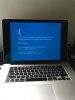
This is the error. The system repair tool is not working. It continues in loop after safe mode, system repair, everything. Note that the update to 15063 was completely normal. The problems begin after Parallels automatically instals Parallels Tools and ask you to restart Windows. After that, the system never comes back.
Attachments
Maria@Parallels
Problem solver
Please generate the problem report using this KB article and reply us back with the report ID.This is the error. The system repair tool is not working. It continues in loop after safe mode, system repair, everything. Note that the update to 15063 was completely normal. The problems begin after Parallels automatically instals Parallels Tools and ask you to restart Windows. After that, the system never comes back.
I have the same problem, exactly as described.
First run after update to 15063 is good, then parallels tools instals automatically then a restart is required, blue screens of death afterwards. Then windows runs the into an early selection menu, in which the only option that would let things work is reverting back to previous windows version.
I hope a solution comes out soon.
First run after update to 15063 is good, then parallels tools instals automatically then a restart is required, blue screens of death afterwards. Then windows runs the into an early selection menu, in which the only option that would let things work is reverting back to previous windows version.
I hope a solution comes out soon.
Hey, my VM doesn't even boot to safe mode. It goes to Bluescreen right after showing the windows logo. I tried to boot in safe mode but no success
You can try these methods to boot into Windows 10 Safe Mode, even when you are having a BSOD error that prevents you from accessing both regular mode and Safe Mode.
https://win10tips.net/windows-10-safe-mode/
I have the same problem, exactly as described.
First run after update to 15063 is good, then parallels tools instals automatically then a restart is required, blue screens of death afterwards. Then windows runs the into an early selection menu, in which the only option that would let things work is reverting back to previous windows version.
I hope a solution comes out soon.
Hi, please try to boot your VM in safe mode, uninstall tools and reinstall it again.
I was able to boot to safe mode without trouble. The first problem there was to be able to uninstall parallels tools. I had to edit registry to enable some MSIService in order to activate the installation services. It worked and PTools was uninstalled.
I rebooted then reinstalled it (in regular windows, not safe mode).
The same problem comes back. Blue Screen on every regular boot (not safe mode).
Obviously the problem is with parallel tools. Any help on how this could be solved?
Thnaks
Ok, I just retried the whole process one more time.
After reinstalling the Parallel Tools for the first time after being uninstalled, windows runs okay for one time. The whole screen becomes utilized (porbably PTools driver was able to extend windows screen to fit the retina display) but a message saying you need to restart windows to finish installing parallel tools mouse driver (something amongst these lines) keeps popping. Once I restart I get to the blue screen, no way back except 1-reverting to previous windows version OR 2- Going to safe mode and uninstalling PTools.
Hope this help identifying the problem and getting a solution
Thanks.
After reinstalling the Parallel Tools for the first time after being uninstalled, windows runs okay for one time. The whole screen becomes utilized (porbably PTools driver was able to extend windows screen to fit the retina display) but a message saying you need to restart windows to finish installing parallel tools mouse driver (something amongst these lines) keeps popping. Once I restart I get to the blue screen, no way back except 1-reverting to previous windows version OR 2- Going to safe mode and uninstalling PTools.
Hope this help identifying the problem and getting a solution
Thanks.
I had the same problem: Windows 15063 installs flawlessly, but as soon as I reboot after the installation of Parallels Tools, I get a BSOD (Unhandled Exception). I used following trick that seems to help: Once the Parallels Tools are installed, do NOT click "Reboot", but choose "Reboot Later", followed by a shutdown of Windows. After you restart, everything seems to be fine. But, nevertheless: Parallels needs to work on this

Hemnath@Parallels
Parallels Support
Folks, we are investigating this issue and will be working on a fix. Please stand by until further notice.
Nice tip if you had already a BSODYou may opt "Restart later", shutdown the VM and later start it again. This helped me

Not offering it up as a solution, obviously.Wow, postponing the restart indefinitely practically solved the issue for me...