Universal ADB driver is no longer working under Windows after updating parallels.

ChristianH12

Bit poster
It might be coincidence, but after installing the latest Parallels 17 all of my Windows VMs do no longer accept using the ADB driver for android development. I tested this on Windows 8, 10 and 11. Running on a native system my android devices do behave fine. The device manager complains about code 43. Error while requesting the USB device descriptor.

Did somebody else has similar issues? I also disabled USB 3.0 support in the preferences.
 
It might be coincidence, but after installing the latest Parallels 17 all of my Windows VMs do no longer accept using the ADB driver for android development. I tested this on Windows 8, 10 and 11. Running on a native system my android devices do behave fine. The device manager complains about code 43. Error while requesting the USB device descriptor.

Did somebody else has similar issues? I also disabled USB 3.0 support in the preferences.

Where did you disable USB 3.0 support? I don't see this option anymore in the prefs...
 
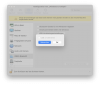
You find this under Devices->USB&Bluetooth->Configure...->Enhanced.

It does not really matter if you either enable or disable this checkbox for the issue. I assume this https://forum.parallels.com/threads/usb-interface-communication-issue.355681/ post is related to the issue. It is unluckily quite annoying if you develop for Android using a VM and the device does not connect using ADB. As workaround I can use wlan debugging, but I would prefer if it would work like in the last years directly.

Cheers
 

Attachments

  • Bildschirmfoto 2022-01-02 um 11.35.16.png
    Bildschirmfoto 2022-01-02 um 11.35.16.png
    542.2 KB · Views: 9
You find this under Devices->USB&Bluetooth->Configure...->Enhanced.

It does not really matter if you either enable or disable this checkbox for the issue. I assume this https://forum.parallels.com/threads/usb-interface-communication-issue.355681/ post is related to the issue. It is unluckily quite annoying if you develop for Android using a VM and the device does not connect using ADB. As workaround I can use wlan debugging, but I would prefer if it would work like in the last years directly.

Cheers
Are you running the latest Parallels 17.1.1? Because here that USB 3 checkmark option is missing so I guess it's always using USB 3 - and I do believe that this could be part of our USB compatibility problems as in earlier versions I had to disable USB 3 support for broad compatibility.
Or maybe the USB 3 option is missing on ARM / M1 devices - or due to me having Windows11 on ARM?
 
Yes, but I use the intel build. I did not tested it on my M1 devices yet. What I can say for sure is that the add connection via usb does not work on all windows systems anymore, neither with usb 2, nor 3.x. I might install an older build of parallels here, even if I dislike the idea.

Christian
 
Yes, but I use the intel build. I did not tested it on my M1 devices yet. What I can say for sure is that the add connection via usb does not work on all windows systems anymore, neither with usb 2, nor 3.x. I might install an older build of parallels here, even if I dislike the idea.

Christian

Well the you should try the 17.0.1 build first as there USB problems are much less than in later 17.x.x versions.
 
Back
Top