Login seems to work, but is this supposed to work everywhere Windows Hello shows up? It doesn't seem to be working that way.Hello! I am excited to let you all know that the new Parallels Desktop version 19 delivers the ability to use Touch ID for Windows sign-in.
See more details in the documentation: https://download.parallels.com/desktop/v19/docs/en_US/Parallels Desktop User's Guide/33638.htm
Let me know how well the new feature works for you!

Install the app
How to install the app on iOS
Follow along with the video below to see how to install our site as a web app on your home screen.
Note: This feature may not be available in some browsers.
You are using an out of date browser. It may not display this or other websites correctly.
You should upgrade or use an alternative browser.
You should upgrade or use an alternative browser.
ADDED: Touch ID login in Windows
- Thread starter saf
- Start date
I'm having the same issue. :-(Using Parallels 19, how do I make the default sign-in option to be Touch ID? Currently, I have to click "Sign In Options" to switch to Touch ID each time.

Maxim Rasulov
Staff member
Hello.I'm having the same issue. :-(
It's most likely you're using a Pin as well as the password on your account, since Touch ID operates in a way of storing a password in a secure Mac keychain.
You can try disabling the Pin option, and it should prompt Touch ID login automatically, in case you are using a Pin, that is to be expected.
For more details, please check the following article: https://kb.parallels.com/en/129870#section4

Dmitry Geynisman
Parallels Team
Hey @DustinD2, this integration works by adding a custom credential provider to your Windows installation that handles the sign-in process once the biometry check is complete on the macOS side. No virtual fingerprint reader is added to Windows, thus Windows Hello is currently not supported.Login seems to work, but is this supposed to work everywhere Windows Hello shows up? It doesn't seem to be working that way.
What are those other places where Windows Hello shows up for you?
Hello.
It's most likely you're using a Pin as well as the password on your account, since Touch ID operates in a way of storing a password in a secure Mac keychain.
You can try disabling the Pin option, and it should prompt Touch ID login automatically, in case you are using a Pin, that is to be expected.
For more details, please check the following article: https://kb.parallels.com/en/129870#section4
I'm afraid that is not the issue. PIN has been removed and disabled. Windows 11 boots to the login screen promoting for a password. However, the only way to use Touch ID is to manually change sign in options every time. This is actually a slower process than typing my PIN. Any other suggestions?
Same for me as well. Windows Hello and PIN are disabled, but I still have to manually select the fingerprint login option. It defaults to the password not the fingerprint (and I understand it's just mapping the fingerprint login to the password in the keychain in the background). Maybe this is how it's supposed to work but limits its value if you have to manually select fingerprint. I also tried just touching the fingerprint with the password selected and that doesn't work either.
I think I figured it out. First, this will not work if you have the passwordless login enabled for your Microsoft account. It needs to be set with a password. If you either had a PIN enabled or were forced to turn one on when setting up, go into Settings - Accounts - Sign-In Options. Scroll down to Additional Settings and turn off "For improved security only allow Windows Sign-in for Microsoft Accounts on this device" then reboot. When you log back in go back to Settings - Accounts - Sign-In Options and in "PIN-Windows Hello (recommended)" delete the PIN. Reboot one more time and after logging in open the registry editor. Go to the following HKEY_LOCAL_MACHINE\SOFTWARE\Microsoft\PolicyManager\default\Settings\AllowSignInOptions and look for the REG_DWORD entry for "Value" in the right pane. Change it from 1 to 0. This will disable Windows Hello for all users and will no longer force it as an option after boot, allowing the password to be the default (which maps to the creds you stored in the Keychain). You should save the above key in a note in case you want to re-enable Windows Hello (Just change the value back to 1 and reboot). I tested this on two machines, and it worked on both. Hope this helps someone else....
Thank you for the information. Before I try, what exactly does this do? Upon reading, it appears this solution simply bypasses the Windows Login screen altogether by logging you in using the Microsoft Account password stored in the Keychain? Is that correct? If so, wouldn't that also bypass the solution that Parallels 19 was supposed to provide by allowing you to log into Windows using TouchID? Again, I'm just extrapolating based on what I am reading as I have not tested this, yet. Thanks.I think I figured it out. First, this will not work if you have the passwordless login enabled for your Microsoft account. It needs to be set with a password. If you either had a PIN enabled or were forced to turn one on when setting up, go into Settings - Accounts - Sign-In Options. Scroll down to Additional Settings and turn off "For improved security only allow Windows Sign-in for Microsoft Accounts on this device" then reboot. When you log back in go back to Settings - Accounts - Sign-In Options and in "PIN-Windows Hello (recommended)" delete the PIN. Reboot one more time and after logging in open the registry editor. Go to the following HKEY_LOCAL_MACHINE\SOFTWARE\Microsoft\PolicyManager\default\Settings\AllowSignInOptions and look for the REG_DWORD entry for "Value" in the right pane. Change it from 1 to 0. This will disable Windows Hello for all users and will no longer force it as an option after boot, allowing the password to be the default (which maps to the creds you stored in the Keychain). You should save the above key in a note in case you want to re-enable Windows Hello (Just change the value back to 1 and reboot). I tested this on two machines, and it worked on both. Hope this helps someone else....
Thank you for the information. Before I try, what exactly does this do? Upon reading, it appears this solution simply bypasses the Windows Login screen altogether by logging you in using the Microsoft Account password stored in the Keychain? Is that correct? If so, wouldn't that also bypass the solution that Parallels 19 was supposed to provide by allowing you to log into Windows using TouchID? Again, I'm just extrapolating based on what I am reading as I have not tested this, yet. Thanks.
To answer the first part of your question, yes it does log you in using just the password stored in the keychain which is how this functionality works. Parallels doesn't use Windows Hello natively. Access to the credentials in the keychain requires your fingerprint. All that happens in the background. The issue people are having is that it doesn't default to the password login where you just touch the fingerprint reader and you have to click on Sign In options on the logon screen and select the thumbprint. That's because even though you have turned off Windows Hello, Microsoft still forces it on the login screen which causes the behavior above. The registry key change just disables Windows Hello so it's a more seamless login experience. Here's the info on the Knowledge Article in Parallels Support
How it works
Direct access to a touch sensor is still limited, so the way it works is allowing you to store your Windows account password in a Mac Keychain and trigger the input when required by the system for logging in. The password is stored in a secured keychain, access to which is protected by your Mac administrative Touch ID. It cannot be viewed but can be copied or removed from the Keychain, provided the user possesses the administrative credentials.
Note: this feature doesn't imply support for Windows Hello as a sign-in option via TouchID.
With all due respect, I believe you are missing the point. I totally understand that Parallels 19 uses your Microsoft account password stored in your Keychain to log you into Windows. However, the problem is that the Windows login screen defaults to requiring you to type a password. In order to utilize the TouchID feature, one must click the fingerprint icon under Sign-In options, which seems to be an unnecessary additional step. We are asking if there is a way for the Windows login screen to default to the finger scan options to eliminate the extra mouse click. The knowledge base for Parallels 19 even states:
Starting with Parallels Desktop 19, by popular demand, we are introducing the ability to use your Mac fingerprint sensor to log into a Windows virtual machine.
Mac Keychain and trigger the input when required by the system for logging in. The password is stored in a secured keychain, access to which is protected by your Mac administrative Touch ID. It cannot be viewed but can be copied or removed from the Keychain, provided the user possesses the administrative credentials.
Note: this feature doesn't imply support for Windows Hello as a sign-in option via TouchID.
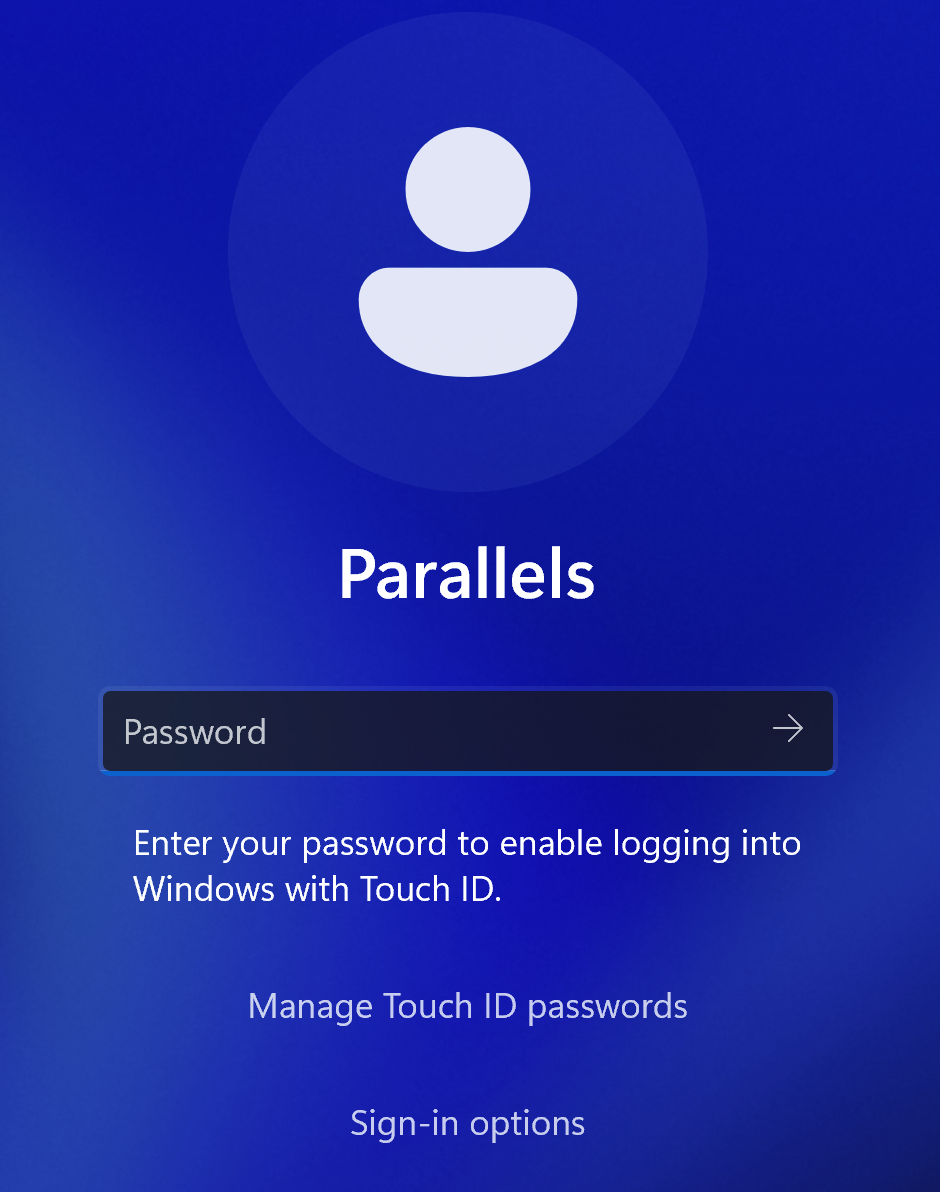
You will need to enter the password for your account once, after which it will be stored in the Keychain, and subsequent logins will be performed by using your TouchID scanner, and you will be prompted to use it instead on every system start:
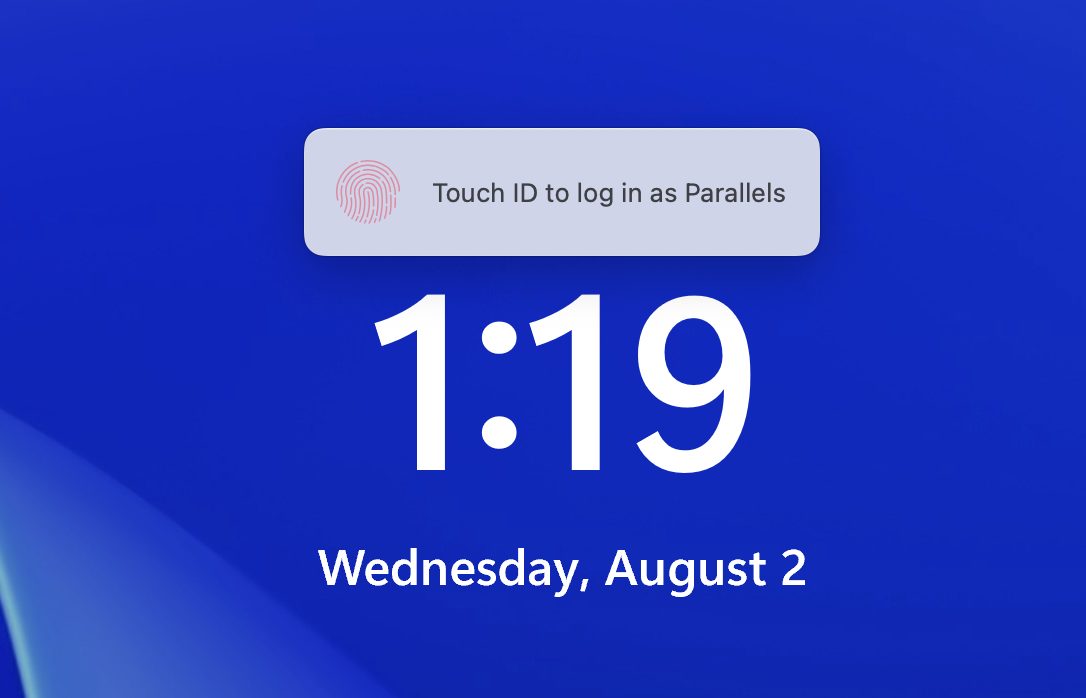
Once you see the Touch ID prompt, touch your Mac's fingerprint scanner, and you will be logged into Windows.
It seems to suggest that once you login with your password one last time, you will be prompted with TouchID going forward. This is NOT what is happening.
Thank you.
Starting with Parallels Desktop 19, by popular demand, we are introducing the ability to use your Mac fingerprint sensor to log into a Windows virtual machine.
Mac Keychain and trigger the input when required by the system for logging in. The password is stored in a secured keychain, access to which is protected by your Mac administrative Touch ID. It cannot be viewed but can be copied or removed from the Keychain, provided the user possesses the administrative credentials.
Note: this feature doesn't imply support for Windows Hello as a sign-in option via TouchID.
You will need to enter the password for your account once, after which it will be stored in the Keychain, and subsequent logins will be performed by using your TouchID scanner, and you will be prompted to use it instead on every system start:
Once you see the Touch ID prompt, touch your Mac's fingerprint scanner, and you will be logged into Windows.
It seems to suggest that once you login with your password one last time, you will be prompted with TouchID going forward. This is NOT what is happening.
Thank you.
CarlW9, I have officially attempted your registry edit to the letter and I am still faced with the login screen asking for a password. If I click the fingerprint icon under Signin Options, it will allow me to use TouchID to log into Windows. In other words, no change occurred. :-(
Sorry to hear that. It worked for me on 12 machines now. I suggest you reach out to Parallels support. Best of luck and I agree this should not require the kind of workaround that worked for me. This is not native support for Windows Hello (which Microsoft probably won't allow) that would make it seamless.
Unfortunately, for those of us that use a mac in clam-shell mode, there's no fallback to the Apple Watch. I assume that this following thread is the one that tracks that feature: https://forum.parallels.com/threads/unlock-windows-with-apple-watch.361313/