and some good news - Windows 11 running without any hacks

Lutz-R.F

Bit poster
finally tried to get the Win11 running, after the initial failures with the old Parallels, I've updated to v17 on my M1 MacBook Pro.
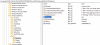
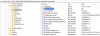
After switching off my PiHole (which obviously blocked some needed Microsoft Servers) I installed a fresh Windows 10, upgraded it to Build 21390 and changed my Insider Status to "Dev" (where I had to use regedit to change/added UIBranch to "Dev" in HKEYLM >/Software/Microsoft/WindowsSelfHost/UI/Selectionand BranchName = "Dev" in >.. WindowsSelfHost/Applicability

Windows 11 22000.132 appeared in Windows Update and after expecting all kinds of TPM errors, I only got a 4GB needed message (I run the default 3GB) ... changed to 4GB and it perfectly upgrade Win10 21390 to Win 11 22000.
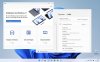
Bildschirmfoto 2021-08-19 um 16.05.13.jpg

Everything runs perfect, only Windows Insider stiil says my M1 isn't able to run Windows 11
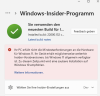
Bildschirmfoto 2021-08-19 um 16.19.57.png
 
That's great it worked for you. I would like to try this also but don't understand the change you made using Regedit. Could you perhaps explain - or re-type it - so that I can try? I have used Regedit before so I have an idea of what you did. THANKS!!!
 
these are the two registry values I need to change between Dev and Preview (Beta doesn't work, maybe it isn't called Beta)

Bildschirmfoto 2021-08-19 um 20.42.34.png

and

Bildschirmfoto 2021-08-19 um 20.42.08.png
 
So Windows 11 can use a virtual TPM, but this has for some reason been limited to Pro and Business versions of the suite. Meaning standard and student versions are unable to use this feature that at some point would become compulsary.

If you are using Pro or Business however, here is the method to add a virtual TPM to your installation.

https://kb.parallels.com/en/122702
 
Wanted to say THANK YOU!!! I followed your directions and it went perfectly. I was having an issue running an old Windows program (Lotus Approach) that I needed under Parallels and Windows 10ARM and never got it to run properly. Was hoping that Microsoft's rumored improvements in running older non-64 bit programs in Windows 11 would help AND IT DID!!! Runs and prints perfectly now. Even if I can't get some of the games I wanted to play to run properly, getting this program helps me greatly. Again thanks for the information.
 
So Windows 11 can use a virtual TPM, but this has for some reason been limited to Pro and Business versions of the suite. Meaning standard and student versions are unable to use this feature that at some point would become compulsary.

If you are using Pro or Business however, here is the method to add a virtual TPM to your installation.

https://kb.parallels.com/en/122702

I've enabled the TPM chip, but WINDOWS still tells the M1 MacBook has no finger print scanner ... on the other hand, it is still running fine
 
That is what I was interested in also but don't know if the Regedit hack would also work for that. Because when I go to Windows Insider there is no option to change to another flight option.
 
Was able to upgrade to Windows 11 using this option, thank you! I hope I could switch to Beta channel, though.
Found a few posts on the Microsoft Insider forum using Google. Apparently you cannot change from DEV back down to BETA once you are in the DEV flight. It requires a fresh, clean install of Windows to do that. (Now these posts were referring to Windows 10 - not 11, and did not specifically mention the ARM versions of Windows.)
Perhaps someone has some other information.
 
Not quite true. Microsoft is even recommending switching to Beta now because the Dev and Beta releases are currently the same build. But since Parallels is still not fully compatible, the only available options for us are Dev Channel (for Insiders who were in the Dev Channel before Windows 11 was announced) and Release Preview Channel (for new Insiders).
There is a way to switch to Beta, though: https://forum.parallels.com/threads/windows-11-on-arm.353890/page-5#post-889439
I did follow the instructions in that thread and was able to switch from DEV to BETA. Interesting how when you go to Settings and the Windows Update/Insider page it now displays a message about how the machine was registered using this procedure.
 
There is a fix out overnight, at least for Parallels 17 (17.0.1) that is supposed to fix the registration and compatibility issues for the Insider Parallels program. Here's the knowledge base article: https://kb.parallels.com/en/125521 Hopefully someone has time to see if it works today (things are rather busy around here).
 
Is we have already used the "hack" how does this effect it? Do we have to reverse something to eliminate Windows still saying we used it? Thanks. (Not near my computer now to see for myself. Will play with it later also.)
 
It works. PC Health tool still complains about TPM and Apple Silicon, but there's no more incompatibility message in the Insider settings.
I simply added TPM hardware to the VM but did not configure it from Windows 11. Now it only complains about the CPU.
 
Back
Top