[2014 Macbook Pro Retina 15", Parallels Parallels Desktop 15 for Mac Home Edition, version 15.1.2 (47123)]
I'm taking a course at Uni that involves Arduino development projects but unfortunately the Arduino IDE is unstable in Catalina, making it impossible to do my required assignments on my host Mac. In response to Apple's decision to drop 32bit support in Catalina, I setup a MacOS Mojave VM in Parallels, and I'm now trying to do my Arduino development in the VM.
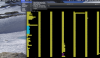
I installed the Arduino IDE and required USB device drivers for the Arduino without any difficulties. However, upon plugging my Arduino into the USB port and assigning it to the VM, the IDE is unable to see my board nor is the arduino showing in the /dev device listing. (See attached image.)
How do I get Parallels to patch the arduino into my VM? Are there further drivers I need?
I'm taking a course at Uni that involves Arduino development projects but unfortunately the Arduino IDE is unstable in Catalina, making it impossible to do my required assignments on my host Mac. In response to Apple's decision to drop 32bit support in Catalina, I setup a MacOS Mojave VM in Parallels, and I'm now trying to do my Arduino development in the VM.
I installed the Arduino IDE and required USB device drivers for the Arduino without any difficulties. However, upon plugging my Arduino into the USB port and assigning it to the VM, the IDE is unable to see my board nor is the arduino showing in the /dev device listing. (See attached image.)
How do I get Parallels to patch the arduino into my VM? Are there further drivers I need?