Audio and Netwrok devices not found.

SrapD7

Bit poster
Audio and Network devices not found.

Hi folks.. I just did a test install of Parallel Desktop for Mac and then installed an old copy of Win xp pro sp3. Every thing worked perfectly!

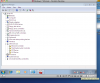
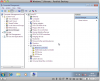
I then removed win xp and installed Windows 7 Ultimate. As with win xp everything is fine and working except there is no audio at all and no network connectivity. In device manager both of these devices are show to be be completely absent and with no drivers.. yet they both work perfectly on the host Machine with Snow Leopard. I have tried all the basic trouble shooting processes that this forum offers.

Can anyone tell me what the problem could be please?

Thanks
 

Attachments
  • Screen shot 2012-08-22 at 08.48.21.png
    Screen shot 2012-08-22 at 08.48.21.png
    121.8 KB · Views: 2
Last edited:
Define your basic troubleshooting efforts. Are you sure you installed Parallels Tools in the VM?

Steve
 
Hi Steve..

I believe Parallels Tools are installed yes.

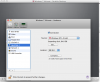
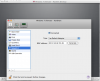
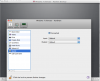
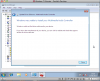
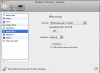
I checked with the VM tools that the audio and network devices are found and 'connected'.. see screen shots.

Yet when I look in Windows they are non existent. How to fix this?


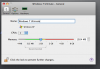
One thing I don't get is why when i have installed Windows 7 do the screens both still say Windows XP?
 

Attachments

  • Screen shot 2012-08-23 at 12.58.00.png
    Screen shot 2012-08-23 at 12.58.00.png
    246.9 KB · Views: 5
  • Screen shot 2012-08-23 at 12.58.12.png
    Screen shot 2012-08-23 at 12.58.12.png
    238.4 KB · Views: 3
  • Screen shot 2012-08-23 at 12.58.27.png
    Screen shot 2012-08-23 at 12.58.27.png
    234.6 KB · Views: 2
  • Screen shot 2012-08-23 at 12.58.41.png
    Screen shot 2012-08-23 at 12.58.41.png
    83 KB · Views: 1
I set the OS to Windows 7 now.

I can also confirm that Parallel Tool's are installed.. and I also tried letting Windows update the drivers automatically but that did not work either despite both audio and network devices being shown as 'connected'.

Any ideas anyone?
 

Attachments

  • Screen shot 2012-08-23 at 14.31.23.png
    Screen shot 2012-08-23 at 14.31.23.png
    119.8 KB · Views: 3
  • Screen shot 2012-08-23 at 14.30.22.png
    Screen shot 2012-08-23 at 14.30.22.png
    76.8 KB · Views: 1
Could this be causing the problems? I installed Windows 7 but the Parallel Tools Hardisk 1 info is showing and Windows XP image?
 

Attachments

  • Screen shot 2012-08-23 at 14.41.27.png
    Screen shot 2012-08-23 at 14.41.27.png
    67.3 KB · Views: 3
That's just the name of hard disk image. That doesn't matter.

Your best solution at this point is to try creating a new VM, specifying that it's for Windows 7, and pointing to the existing .pvm file so you don't have to reinstall Windows. Then, reinstall Parallels tools.

Steve
 
Hi Steve..

I just removed everything and started rom scratch.. I think there was a conflict with the older xp image disk thing and the Win 7.

Everything is running perfectly now.. :)

Cheers
 
Back
Top