
Dudemanbubba
Bit poster
I have been running Parallels for some time now and have upgraded with each new version. I had upgraded to 9 and within a week my Windows virtual machine got corrupted and would not boot. Unfortunately, I had never made a snapshot... Regardless, I reinstalled Windows 7 64bit and reinstalled Autocad 2011.
Since I have reinstalled everything, Autocad is behaving oddly and I haven't been able to get any answers from Autodesk. I am reaching out here to see if this may be a Parallels video driver issue. Although, this was not happening on Parallels 9 prior to my reinstallation of the Windows virtual machine...
When I view drawings from paperspace that have viewports created, the drawing information that extends beyond the viewports in modelspace is ghosting on the display making it impossible to work on my sheets.
This is an image of what I am talking about:
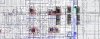
The jumble of ghosted display items are not "really" there as when you print it doesn't show up. Here is a print preview:
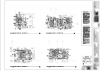
The jumble also changes as you zoom and move around the drawing. Here are two images showing some of the ghosted items disappearing when I zoom in:


Any help is appreciated.
Since I have reinstalled everything, Autocad is behaving oddly and I haven't been able to get any answers from Autodesk. I am reaching out here to see if this may be a Parallels video driver issue. Although, this was not happening on Parallels 9 prior to my reinstallation of the Windows virtual machine...
When I view drawings from paperspace that have viewports created, the drawing information that extends beyond the viewports in modelspace is ghosting on the display making it impossible to work on my sheets.
This is an image of what I am talking about:
The jumble of ghosted display items are not "really" there as when you print it doesn't show up. Here is a print preview:
The jumble also changes as you zoom and move around the drawing. Here are two images showing some of the ghosted items disappearing when I zoom in:
Any help is appreciated.