Battery life - New MacBook Pro 2016 battery with Parallels 12

  • Thread starter Thread starter Parallels User
  • Start date Start date
P

Parallels User

I've a new 13" MacBook Pro with touch bar.
Maybe it's because of all the press regarding the battery so I'm hyper aware of it but when I'm using Parallels to run Windows 7 the battery on the MacBook seems to drop like a stone. I ran it with just Safari and Outlook open and I got just over 4hrs.
Previously I had a 2012 13" MacBook Pro Retina, and I'm sure I got much more life.
I wondered if anyone else had benchmark battery times, and if I am being unreasonable in my expectations for battery life.
Many thanks

Details of my set up below:

Macbook Pro
2.9 GHz Intel Core i5
16 GB 2133 MHz LPDDR3
500GB storage

Parallels 12 - Version 12.1.1 (41491)
Running Windows 7
 
Last edited by a moderator:
Hi, please try the following:
VM configuration -> Options -> Optimization -> Power -> Longer battery life.
Please check this settings and let us know the results.
 
Is there anything else I can try?
Hi, please Open Parallels Desktop, in the Virtual Machine menu, select Configure. Go to the Hardware tab, click Graphics in the sidebar and clear the Enable 3D acceleration checkbox.Now, we have disabled 3D effects but we also need to decrease the amount of video memory allocated to the virtual machine: it's still set to the default value, which in our case is 256 MB. Since 2D graphics simply do not need that much memory, it makes good sense to return the "extra" memory back to the host Operating System. 128 MB of video memory will be enough for running Windows 7 virtual machine.
Following these steps will help you save up to 1.5-2 hours of battery life. Of course, this configuration won't let you run any "graphics heavy" software, so if you need to use 3D applications, the video settings should be left as the default.
 
It doesn't seem to have helped. Is anyone else having issues with the new MacBook with Parallels 12 or is it just me? The problem is that I don't know if it's a problem of Parallels or the MacBook. All I know is that when I had Parallels 11 running on the 2012 retina MacBook pro I was getting 6hrs no problem doing the same things (with more memory on the CPU devoted to parallels and more graphics devoted too. I normally work a lot when travelling on flights between Europe and the US, but now my battery isn't going to cut it. I've opened a support ticket but I would like to hear if it's just me or if this is a wider issue.
 
It doesn't seem to have helped. Is anyone else having issues with the new MacBook with Parallels 12 or is it just me? The problem is that I don't know if it's a problem of Parallels or the MacBook. All I know is that when I had Parallels 11 running on the 2012 retina MacBook pro I was getting 6hrs no problem doing the same things (with more memory on the CPU devoted to parallels and more graphics devoted too. I normally work a lot when travelling on flights between Europe and the US, but now my battery isn't going to cut it. I've opened a support ticket but I would like to hear if it's just me or if this is a wider issue.
It's strange. Please create a Problem Report for the virtual machine as described here http://kb.parallels.com/9058 and provide us with the Problem Report ID. We will investigate this issue and help!
 
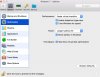
I'm not sure how to do this. I can't see this "no limit" option in optimizations
 

Attachments

  • Screen Shot 2017-01-20 at 21.06.15.jpg
    Screen Shot 2017-01-20 at 21.06.15.jpg
    181.2 KB · Views: 21
Back
Top