
Totoleheros
Bit poster
Hi,
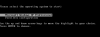
I have installed the Parallels Tools for Boot Camp on the Boot Camp partition but when I'm back in MacOS interface + Parallels Desktop, the option "Boot Camp" when creating a VM would not appear (not even greyed). When starting from BootCamp, I now have two lines as shown in the screenshot attached. I have tried:
1) to recreate the Boot Camp partition and Re-install WindowXP2 (Plus the Parallels tools)
2) to uninstall Parallels Desktop and Reinstall it
I had the same symptoms
Can somebody help?
Many thanks in advance!!
Configuration: iMac Intel Core2Duo 1.83Mhz - Parallels Desktop build 1970 - Windows XP2 on the Boot Camp partition - Boot Camp partition of 40Gb (MacOS 10.4.8) - 768Mb RAM
I have installed the Parallels Tools for Boot Camp on the Boot Camp partition but when I'm back in MacOS interface + Parallels Desktop, the option "Boot Camp" when creating a VM would not appear (not even greyed). When starting from BootCamp, I now have two lines as shown in the screenshot attached. I have tried:
1) to recreate the Boot Camp partition and Re-install WindowXP2 (Plus the Parallels tools)
2) to uninstall Parallels Desktop and Reinstall it
I had the same symptoms
Can somebody help?
Many thanks in advance!!
Configuration: iMac Intel Core2Duo 1.83Mhz - Parallels Desktop build 1970 - Windows XP2 on the Boot Camp partition - Boot Camp partition of 40Gb (MacOS 10.4.8) - 768Mb RAM
 I was not using the right (3306) built but the 1970....