Build 5160 BSOD with latest Windows Updates

  • Thread starter Thread starter Parallels User
  • Start date Start date
Dear amp88759,

Try the following:
1. Boot Windows in Safe Mode.
2. Go to "My Computer" - "C" Drive - "Program Files" - "Parallels" folder and delete the "Parallels Tools " folder.
3. Reboot your VM.
Please, write, if this will help.

Best regards,
Xenos
 
I has this BSOD a few months ago
caused by insufficient hard disk space after a windows update

open PD select the VM you wish to run
do not start it
from PD file menu clone it to an external HD and run it from there

I use FW 800 LA Cie for all my VM images
which seems to speed up the Mac too

I clone the clone too as a back up

twice this week
because I updated two applications

Hugh W
 
>>> Message has been deleted by the user <<<
 

Attachments

  • Picture 1.jpg
    Picture 1.jpg
    18.3 KB · Views: 4
Hello amp88759,

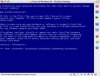
BAD_SYSTEM_CONFIG_INFO error probably means that some registry keys and their options are missing. After the Security Updates installation Windows could update all drivers and uninstall VM drivers. I think you'll have to repair Windows XP Installation in the VM. Please, look at these instructions: http://kb.parallels.com/entry/63/336/0/.

Best regards,
Xenos
 
Back
Top