After connecting a new wireless printer in the office I seem to no longer be able to connect to the internet via Windows in Parallels. I can do so in Mac OS X and if I take my laptop home I can do so via Windows in Parallels. So my best guest is that it is the new printer connection. I found something in the Troubleshooting guide adressing this but it does not work.I am on OSX 10.5.6 and the lastest version of Parallels 4.03810 with Windows XP.

Install the app
How to install the app on iOS
Follow along with the video below to see how to install our site as a web app on your home screen.
Note: This feature may not be available in some browsers.
You are using an out of date browser. It may not display this or other websites correctly.
You should upgrade or use an alternative browser.
You should upgrade or use an alternative browser.
Can no longer connect to internet
- Thread starter josabs
- Start date

Elric
Parallels Team
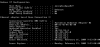
The screenshot is ok,
All seems to be ok with ipconfig,
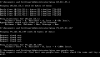
could you please again in the cmd.exe type next commands
1) ping 10.211.55.1
2) ping 74.125.43.147
3) ping www.google.com
You can right-click in the cmd.exe Window and select "Mark". Then holding the left-button select some result and press the right-button again and it will be copied to the clipboard. Then, since you have tools installed, you can paste the selected text in Mac by pressing Apple-V.
But any convinient for you way is ok for me.
All seems to be ok with ipconfig,
could you please again in the cmd.exe type next commands
1) ping 10.211.55.1
2) ping 74.125.43.147
3) ping www.google.com
You can right-click in the cmd.exe Window and select "Mark". Then holding the left-button select some result and press the right-button again and it will be copied to the clipboard. Then, since you have tools installed, you can paste the selected text in Mac by pressing Apple-V.
But any convinient for you way is ok for me.
Elric
Parallels Team
Could you please create register at the page http://www.parallels.com/support/desktop/request/ and create a support-ticket? Then please post me its number.
I will come within nearest time (day or two as maximum - We need to do some testing) with possible solution. Please leave a link to the forum in the ticket.
I will come within nearest time (day or two as maximum - We need to do some testing) with possible solution. Please leave a link to the forum in the ticket.
Elric
Parallels Team
I created a support ticket but never got a response!!
Please post me its number