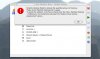
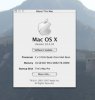
I have a new 8 core Mac Pro with 16 GB of RAM and planned to run multiple VMs at once under Parallels 3.0 but this has proven to be impossible so far. I can open and run one VM just fine but when I try to start another VM I get the following error "Paralles Desktop failed to allocate the specified amount of memory. Please restart Parallels Desktop and try again. To avoid this problem in the future choose from the menu: Paralles Desktop > Preferences. On the Memory tab select the Enable virtual memory preallocation option." I did as the error message said but the same thing happens.
Anyone know a fix for this?
Anyone know a fix for this?