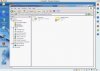
I have a wndows XP professional parallels VM. I ran out of space so I added a 2GB drive. It shows up when I look at it in prior to starting the parallel drive. When I look in windows explorer, my drive d: is the CD drive. There is no second hard drive shown as visible to windows explorer.
at the bottom of the VM, I am showing to hard drives when I have parallels in window mode.
I have attached a screenshot.
at the bottom of the VM, I am showing to hard drives when I have parallels in window mode.
I have attached a screenshot.