Context menus and desktop disappear

Ulrich_Trutter

Bit poster
Parallels Desktop 11 Pro for Mac Edition
Version 11.1.3
Guest: Windows 10

When I call the contextmenu on the desktop (right click) sometimes the menu is shown just for a second maybe and the it is completely empty.
This also happens with a treeview in another program.

The solution I found out so far is to resize the window in which Paralells runs. I am working with a big monitor. But this solution seems not to work all the time: sometimes the whole desktop becomes black and nothing can be seen.

So my question is: How can I avoid this behaviour?

Ulrich Trutter
 
Hello,
Some Windows-based programs is not adapted for such high pixel density (DPI) resolution of the Retina display: Windows virtual machine resolution becomes very high thus everything is too small; in-program fonts, UI buttons or images are not rendered properly. Please refer to this article to fix the issue.
 
Thanks for your answer, but:
It has nothing to do with a windows-based programm because the problem already is there when I right click on the desktop. So it is Windwos itself.
It also does not have to do with Retina, because my monitor (Sharp PN-K321) dows not offer Retina.
Any other suggestions?
Ulrich Trutter
 
Thanks for your answer, but:
It has nothing to do with a windows-based programm because the problem already is there when I right click on the desktop. So it is Windwos itself.
It also does not have to do with Retina, because my monitor (Sharp PN-K321) dows not offer Retina.
Any other suggestions?
Ulrich Trutter
Hi, please try reinstalling Parallels Tools click here for more information and let us know how it works?
 
Reinstalling Parallels Tools seems to have worked. I have not had any problems since then.
Thanks.
Ulrich Trutter
PS: Sorry for the late reply.
 
Glad to hear that, feel free to write us back for assistance, we're here to help.
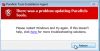
I'm having an issue after updating PD11 (v11.2.0 32581) for Mac (El Cap.), the coherence mode is greyed out, I have limited screen real-estate, unable to open MS applications as well as the infamous "Windows cannot access \\MAC\HOME\Desktop" error. After searching through the KB forum, I found I may need to check and verify all WINDOWS Updates are installed--also found the following error "Windows Update Error "0x80070002". I was missing roughly five (5) important updates. All Windows updates have been completed. I also found solutions where the Parallels Tool needs to be reinstalled. Unfortunately, I receive yet another error, "There was a problem updating Parallels Tools", I'm prompted to restart Windows and try again. The Parallels Tools Installation fails repeatedly.

Any resolution would be greatly appreciated. Thank you.
 

Attachments

  • Screen Shot 2016-05-06 at 11.06.14 AM.png
    Screen Shot 2016-05-06 at 11.06.14 AM.png
    26.8 KB · Views: 4
  • Screen Shot 2016-05-06 at 11.58.08 AM.png
    Screen Shot 2016-05-06 at 11.58.08 AM.png
    25.4 KB · Views: 4
Hi Robert,
Try this steps and let us know whether it resolves the issue.
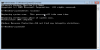
Disabled virus protection, cleared registry of Parrallel Tool, ran sfc scannow (no errors). Ran tool install as System Admin, once install was roughly 57-60%, failed again (repeatedly) with the same red screen posted earlier.

Any other suggestions by chance? Thank you for the quick response!
 

Attachments

  • Screen Shot 2016-05-06 at 3.12.23 PM.png
    Screen Shot 2016-05-06 at 3.12.23 PM.png
    23.2 KB · Views: 4
Disabled virus protection, cleared registry of Parrallel Tool, ran sfc scannow (no errors). Ran tool install as System Admin, once install was roughly 57-60%, failed again (repeatedly) with the same red screen posted earlier.

Any other suggestions by chance? Thank you for the quick response!
Hello RobertD7,
Instead of disabling the Antivirus kindly try to uninstall Antivirus from your Windows VM and install Parallels Tools manually and let us know if it makes any changes.
 
Hello RobertD7,
Instead of disabling the Antivirus kindly try to uninstall Antivirus from your Windows VM and install Parallels Tools manually and let us know if it makes any changes.
Greetings @Pradeep@Parallels, per your instructions above, I uninstalled the Antivirus protection from the Windows VM, restarted, initiated P.Tools installed and it failed. However, upon restart of the VM, I once against initiated the install and it was successful after the second restart. I am excited to report, my Coherence Mode is up and running and all applications can be accessed. Thank you for your assistance!
 
Greetings @Pradeep@Parallels, per your instructions above, I uninstalled the Antivirus protection from the Windows VM, restarted, initiated P.Tools installed and it failed. However, upon restart of the VM, I once against initiated the install and it was successful after the second restart. I am excited to report, my Coherence Mode is up and running and all applications can be accessed. Thank you for your assistance!
Hello RobertD7,
Great to know it is working. Let us know if you require any assistance from Parallels.
 
Back
Top