deleted file

dalton

Bit poster
Hi There,
I have had troubles with the VM starting and followed one of the instructions on this site but
Some how i accidently delete the file that is in the winxp.hdd folder - not the diskDescriptor.xml file or the DiskDescriptor.xml.lckbut the winxp.hdd.0{5 file.
I have reloaded parallels but still did not work.
I'm thinking I will have to reload windows.
If I reload windows will I lose my work that I already have on the virtual machine?
any info would be great as I am going away and need to get it working today.

stressed (shane)
 
thanks for that.
is there any other way that this can be done other than buying more software that still may not work.
shane
 
i have uninstalled and re installed parellels but for some reason it won't let me install windows

sorry for incompetence.
 
hi john,
i have uninstalled parallels and tried to install it again but I'm still getting the same problem.
then i try to reload windows ibut it does not let me.
i have since bought the disk rescue 2 but i'm having troubles locating the file i'm after.
it also will not let me access the trashes file.
not a good day
 
alright so what has happened is
i tried to use parallels but on start up got the message -
- hdd file is missing,corrupted or used by other application.
did a search on the forums and tried one of the answers.
it worked!
the next day it did the same thing - as i was trying to fix the problem the same as i did the day before i accidently deleted the file winxp.hdd.0.{5fbaabe3 an so on
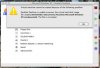
now whenever i try to start VM i get the (screengrab below)
when i try to load windows its not reading the disk. (because its a mac)
i am trying to retrieve the file with datarescue2 - but i'm not having much luck
thanks for your time

/Users/Homefolder/Desktop/screengrab1.tiff
 
i have tried the data rescue but have has no luck.
i managed to uninstall windows + paralles and also re install them (i'm not worried about the data as its only quikbooks and i have a back up)
the file that i originally deleted is back.
but now when i restart i get the application parallels desktop quit unexpectly - ignore - report - relaunch pop up.
 
Move Documents/Parallels/VM folder to external hdd, and disconnect that from Mac, check can Parallels Desktop start.
I suppose Parallels Desktop quits because of corrupted hdd file
 
Back
Top