Not sure, if the forum is the right one, but here is the problem:
Windows XP Home VM on Parallels 5 on Mac
Microsoft Office 2007
I had one VM (lets call it XP 1)
everything works fine
Then I created a new one, reinstalling everything new.
(lets call it XP 2)
Smart Select did work for the first one and seemed to work for the second one, but:
the preview icon in the folders are different and the file types are too.
XP 1 the file type shown is: Microsoft Office Word 2007 Document
XP 2 there is only written: docx file
When I double click on a doc file or a docx file, they open automatically in XP 2 (what I like, because I want to eliminate XP 1 further on)
BUT:
I encountered the next following problem:
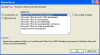
When I open a docx file in Word in XP 2 with an embedded xls-sheet, there pops up the following message (see image, sorry in german)
And I have to convert the embedded sheet (right click on the xls embedded sheet ->convert to->97-2003 option (see image)
these files where created in the XP 1 VM.
After converting them in the XP 2, they still work properly in the XP 1 too (I save all my files on Mac side)
Now I would like to know,
1. how can I force XP 2 to use the same opening settings (with preview icons and file type) as in XP 1?
2. if solution to 1 may be solution to the xls embedded problem, hallelujah, otherwise, how can I force XP 2 to open all the embedded data, without converting the embedded object?
Thanks for your attention!
Diana
Windows XP Home VM on Parallels 5 on Mac
Microsoft Office 2007
I had one VM (lets call it XP 1)
everything works fine
Then I created a new one, reinstalling everything new.
(lets call it XP 2)
Smart Select did work for the first one and seemed to work for the second one, but:
the preview icon in the folders are different and the file types are too.
XP 1 the file type shown is: Microsoft Office Word 2007 Document
XP 2 there is only written: docx file
When I double click on a doc file or a docx file, they open automatically in XP 2 (what I like, because I want to eliminate XP 1 further on)
BUT:
I encountered the next following problem:
When I open a docx file in Word in XP 2 with an embedded xls-sheet, there pops up the following message (see image, sorry in german)
And I have to convert the embedded sheet (right click on the xls embedded sheet ->convert to->97-2003 option (see image)
these files where created in the XP 1 VM.
After converting them in the XP 2, they still work properly in the XP 1 too (I save all my files on Mac side)
Now I would like to know,
1. how can I force XP 2 to use the same opening settings (with preview icons and file type) as in XP 1?
2. if solution to 1 may be solution to the xls embedded problem, hallelujah, otherwise, how can I force XP 2 to open all the embedded data, without converting the embedded object?
Thanks for your attention!
Diana