Download video stopped working

KreelaM

Junior Member
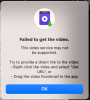
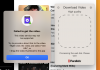
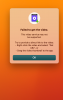
As of this morning no youtube video has succeeded in downloading, although I could download videos with Wondershare Ultimate Video Converter. They all received the same error. I tried to right-click and copy URL, then I tried to right-click and copy current URL. Normally I don't use the Safari extension, even though I have it installed. I tried two different browsers: Opera and Safari.

My O.S. is 13.2.1 Ventura on an M1 iMac, which is up-to-date. Two days ago I successfully downloaded videos. Restarting the Toolbox did not help, nor did changing download options help.
 

Attachments

  • Screenshot 2023-02-17 at 11.14.57 AM.png
    Screenshot 2023-02-17 at 11.14.57 AM.png
    737.5 KB · Views: 7
I also tried removing and reinstalling Parallels Toolbox afterwards. And I tried different resolutions for the downloading.
 
[As of this morning no youtube video has succeeded in downloading, although I could download videos with Wondershare Ultimate Video Converter. They all received the same error. I tried to right-click and copy URL, then I tried to right-click and copy current URL. Normally I don't use the Safari extension, even though I have it installed. I tried two different browsers: Opera and Safari.]

I got the same issue since this morning
 

Attachments

  • Screenshot 2023-02-17 at 8.51.15 PM.png
    Screenshot 2023-02-17 at 8.51.15 PM.png
    38.3 KB · Views: 4
  • Screenshot 2023-02-17 at 8.54.01 PM.png
    Screenshot 2023-02-17 at 8.54.01 PM.png
    108.3 KB · Views: 5
Same here i am also experiencing the same issue, none of video/audio can be downloaded from youtube right now via Parallels Tools box - Mac Mini M1 / macOS Ventura 13.1 / Toolbox - Version 6.0.1 (4541)
 
I also tried removing and reinstalling Parallels Toolbox afterwards. And I tried different resolutions for the downloading.
Greetings,
To proceed with investigation, kindly collect a technical report as per this article: https://kb.parallels.com/en/124107
While report is gathering, you can paste the link in the issue description so we could test it locally.
Then copy 9-digit ID of the report and provide it in a reply message.
Looking forward to hearing from you.
 
[As of this morning no youtube video has succeeded in downloading, although I could download videos with Wondershare Ultimate Video Converter. They all received the same error. I tried to right-click and copy URL, then I tried to right-click and copy current URL. Normally I don't use the Safari extension, even though I have it installed. I tried two different browsers: Opera and Safari.]

I got the same issue since this morning
Greetings,
To proceed with investigation, kindly collect a technical report as per this article: https://kb.parallels.com/en/124107
While report is gathering, you can paste the link in the issue description so we could test it locally.
Then copy 9-digit ID of the report and provide it in a reply message.
Looking forward to hearing from you.
 
Same here i am also experiencing the same issue, none of video/audio can be downloaded from youtube right now via Parallels Tools box - Mac Mini M1 / macOS Ventura 13.1 / Toolbox - Version 6.0.1 (4541)
Greetings,
To proceed with investigation, kindly collect a technical report as per this article: https://kb.parallels.com/en/124107
While report is gathering, you can paste the link in the issue description so we could test it locally.
Then copy 9-digit ID of the report and provide it in a reply message.
Looking forward to hearing from you.
 
Same problem here. May have started right after 13.2.1 update 2 days ago. M1 Macmini
Greetings,
To proceed with investigation, kindly collect a technical report as per this article: https://kb.parallels.com/en/124107
While report is gathering, you can paste the link in the issue description so we could test it locally.
Then copy 9-digit ID of the report and provide it in a reply message.
Looking forward to hearing from you.
 
Same issue here, and I tried different MACs and different YouTube videos or Audios. All, fail.
It seems YouTube has changed their API again !
 
I too have the same problems as those above. I sent a copy of the technical data report with ID 418761299. I tried a number of times to open a ticket with this number as per your instructions in the app, but the menus available on your support site just go round to the same places for self-help so I can not open a ticket.
 
I have the same problem. I can't download videos from YouTube. I still can do it from Facebook. Here you are the issue report id: 418800867
 
I am having the same problem. Here is my report ID 418802592. I really need this feature to work again.
 

Attachments

  • Screenshot 2023-02-20 at 9.14.10 AM.png
    Screenshot 2023-02-20 at 9.14.10 AM.png
    153.5 KB · Views: 3
  • Screenshot 2023-02-20 at 9.16.49 AM.png
    Screenshot 2023-02-20 at 9.16.49 AM.png
    12.2 KB · Views: 2
Back
Top