Hi,
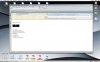
i have in the virtual machine installing Windows XP an i start in Windows my Email program Lotus Notes 7. When i became a email with files i would like to drag and drop between the Windows Lotus Notes 7 to my OSX Desktop. When i drag i see a green + but the files does not show on OSX Desktop. I hope you can help me.
Parallels Tools and the newest Parallels Desktop version installed.
greatings Martin
i have in the virtual machine installing Windows XP an i start in Windows my Email program Lotus Notes 7. When i became a email with files i would like to drag and drop between the Windows Lotus Notes 7 to my OSX Desktop. When i drag i see a green + but the files does not show on OSX Desktop. I hope you can help me.
Parallels Tools and the newest Parallels Desktop version installed.
greatings Martin