Chris Dickey
Bit poster
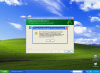
I'm trying to install DNS preferred 10 onto my Parallels Windows XP virtual machine - I have turned off the virus software but always get the same error message halfway through the installation - see screen shot attached.
I bought DNS as download package from Nuance website as a an upgrade package to DNS Preferred 8 (which loads just fine on the virtual Windows XP machine)
Any ideas why this is happening??
I bought DNS as download package from Nuance website as a an upgrade package to DNS Preferred 8 (which loads just fine on the virtual Windows XP machine)
Any ideas why this is happening??