jwjohnson99
Member
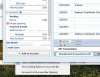
Windows 10 - Parallels 11 with latest update. Right click and other drop down menus don't work in Quicken Windows 2016, MS Office 2013, File Center (Lucion). The drop down menu is displaying behind the program's main window. This started happening occasionally with Windows 7, but since upgrading to Win 10 it is nearly continuous. If I play around with settings I can get it to work right for a few clicks, but then it goes back. I searched the forums and have tried hiding the windows taskbar, but that seems to have no effect. I submitted technical details to support (ID 87214631).