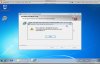
I recently installed Parallels 6 (Build 6.0.11994) on a fresh 10.6.7 OSX Installation. I created one Virtual Machine which runs a fresh installation of Win7 64bit in a Bootcamp partition (Bootcamp drivers and services installed). When I try to install Parallels tools, I get the following error:
Error 1326. Error getting file security:
c:\Windows\system32\Drivers\prl_boot.sys
GetLastError: 5
After I press "OK" on this error, the installation rolls back and I am forced to restart my Win7 virtual machine by the Parallels Tools installer. I have attached a screenshot of the error. Thanks for your help!
Error 1326. Error getting file security:
c:\Windows\system32\Drivers\prl_boot.sys
GetLastError: 5
After I press "OK" on this error, the installation rolls back and I am forced to restart my Win7 virtual machine by the Parallels Tools installer. I have attached a screenshot of the error. Thanks for your help!