
AleksandarA1
Bit poster
I have recently purchased Acer Predator D5 USB-C SIM 5G dongle -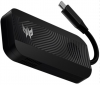 for internet. When I connect it to Windows Laptop it has it's own acer software UI and everything works good. On the other hand when I try connecting it to my MacBook Pro M1pro(Silicon chip) it doesn't recognise the device -
 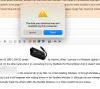 and is displayed as "MT65xx Preloader" -
 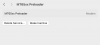 in the network tab of my MAC. So I tried installing Windows 11 through Parrallels and when I plug in the device it doesn't automatically recognize it and is still displayed with missing drivers -
 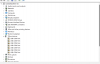 in the Parallels Windows 11 although the acer software starts automatically -
 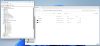 . Once again when attaching it to a Lenovo laptop with Windows 11 the device is recognised in the Device manager as Network Adapter and directly starts working with the Acer Software so I can initiate the connection.
My question is if there is any way to manually install the drivers within the Parallels Windows 11 or there wouldn't be any chance.
I have further researched that the USB dongle is powered by MediaTek T700 processor and FIBOCOM FM350-GL (if it has something do to with the drivers).
Any help would be greatly appreciated.
for internet. When I connect it to Windows Laptop it has it's own acer software UI and everything works good. On the other hand when I try connecting it to my MacBook Pro M1pro(Silicon chip) it doesn't recognise the device - and is displayed as "MT65xx Preloader" - in the network tab of my MAC. So I tried installing Windows 11 through Parrallels and when I plug in the device it doesn't automatically recognize it and is still displayed with missing drivers - in the Parallels Windows 11 although the acer software starts automatically - . Once again when attaching it to a Lenovo laptop with Windows 11 the device is recognised in the Device manager as Network Adapter and directly starts working with the Acer Software so I can initiate the connection.My question is if there is any way to manually install the drivers within the Parallels Windows 11 or there wouldn't be any chance.
I have further researched that the USB dongle is powered by MediaTek T700 processor and FIBOCOM FM350-GL (if it has something do to with the drivers).
Any help would be greatly appreciated.