Hi there,
I seem to have run into a crazy problem. I tried to use "Hide Desktop" but got a message that it wasn't possible to hide the desktop because I had turned on "Show all files".
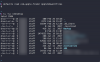
Then I turned off the "Hide Desktop" but some of the files remain hidden. I checked the file flags and the "hidden" flag is removed from all files, but the Finder shows some of the files still as hidden. How can I restore this so that all files are shown again?
I seem to have run into a crazy problem. I tried to use "Hide Desktop" but got a message that it wasn't possible to hide the desktop because I had turned on "Show all files".
Then I turned off the "Hide Desktop" but some of the files remain hidden. I checked the file flags and the "hidden" flag is removed from all files, but the Finder shows some of the files still as hidden. How can I restore this so that all files are shown again?