Firewire Harddisk under windows XP

stefan78

Bit poster
I connected an external firewire hard disk under mac os 10.5. I have parallels 5 with windows xp sp 2.
Mac detects the harddisk but windows xp not. Is there something I have to do?

Some background:
With USB wire it works also for windows.
I tried to configure in the VM that I load a directory of the harddisk into vm.. It seemed that the HD was mounted(mac gave a message, that it was used by parallels), But I didn't find it in the windows xp mounted.

thanks in advance and regards,

Stefan
 
some trouble

hi,
Tried the procedures according to the instructions.
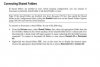
Everything looks fine. But in Windows XP, I don't see any shared folder.
looked everywhere but nothing.

SysInfo : parallels bulid 4288, MAC OS 10.5, Windows XP SP2

Found some docs (in Attachment) but the explanation not clear for me.
thanks,

Stefan
 

Attachments

  • Neu Bitmap (2).jpg
    Neu Bitmap (2).jpg
    19 KB · Views: 3
Last edited:
We bought Parallels 3 with a new Core Duo Mac Mini, and Windows XP. I'm trying to get the Windows instance to recognize the firewire-connected Buffalo Drivestation DUO. (In order to configure it for RAID 1, you must connect the unit via Firewire and use a Windows utility to talk to the built-in RAID controller in the Drivestation.)

When I connect the unit to the Mac Mini, I can see the two hard disks in the Drivestation apper on the OS X desktop.

But, in the Windows instance, under MyComputer -> Manage -> Device Manager -> Disk Drives, I only see the virtual HDD0. (On the Mac side, I also see the parallels "C:" drive as well...)

I tried following the link to a forum article infered to tell you how to configure for Firewire drives (http://kb.parallels.com/entry/42/54/0/), but it appears to no longer be a valid link.

Still searching for clues. I'll post a recipe when I find one.

-Z- http://www.conserver.com/consoles/
 
I share all my disks

the two firewire disks appear in "my computer" and "Windows Explorer" but with letters of the alphabet

gotta reboot and I will edit this post
===================

I run parallels VM from a Firewire 800 Disk and clone it to both

just now I clumsily kicked out a mains lead so the disks got dismounted

Paralles VM Freezes but survives apparently unharmed after the Mac OS hard reboot with the off button

==================

anyway my FW 800 La Cie 1 in Mac OS is AKA Network Drive N in WinXP sp2
and La Cie 1 in Mac OS is AKA Network Drive O
and Macintosh HD is AKA Network drive P
(the last shows folders invisible under Mac OS and those are best left alone !!!)

WinXp Sp2 is on Drive C in the VM is AKA [C] vmwinxp7 on the Macintosh Desktop

I also have a USB drive available in the same way

===================
set up drive sharing from the mac side in Parallesl Desktop >> >> Menu >> Devices >> Shared Folders >> Add

enjoy

Hugh W
 
Last edited:
Back
Top