I have not used Parallels in quite some time (Parallels 7 with Windows XP), and am not very familiar with Windows 10 (pretty much can't stand the windows 8 & 10 interface). I do need to use some windows programs from time to time.
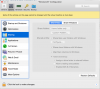
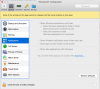
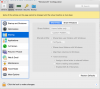
Just installed Parallels Desktop 12.1.3 with Windows 10. Unfortunately, all of the icons from my Mac desktop are showing up in my Windows desktop page. How do I stop that from happening? All I want in my Windows desktop are windows-related programs and files. I would like to still maintain the ability to manually copy files from one OS to the other ("seeing" files/folders on my Mac from within Windows if I specifically navigate to them would also be nice, but not absolutely necessary.) Is there a way to do this?
While I am asking questions:
Just installed Parallels Desktop 12.1.3 with Windows 10. Unfortunately, all of the icons from my Mac desktop are showing up in my Windows desktop page. How do I stop that from happening? All I want in my Windows desktop are windows-related programs and files. I would like to still maintain the ability to manually copy files from one OS to the other ("seeing" files/folders on my Mac from within Windows if I specifically navigate to them would also be nice, but not absolutely necessary.) Is there a way to do this?
While I am asking questions:
- How do I make the Windows desktop view the default view in Windows? It seems to default to the tiles view, which I hate, and getting to the desktop view often seems to be a multi-step process.
- How do I make the windows environment stay confined to one window on the Mac?