
Is there a way to make XP on bootcamp forget about the alternative parallels configuration?
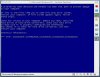
I'm completely stuck on this issue. I get a blue screen when I'm trying to boot with Parallels.
What gives?
edit: Not sure how relevant this is...but here's my console from OS X:
Mac OS X Version 10.4.9 (Build 8P2137)
2007-04-07 10:42:53 -0500
2007-04-07 10:42:57.126 SystemUIServer[205] lang is:en
Apr 7 11:02:26 authexec: executing /Applications/Parallels/Parallels Desktop.app/Contents/Resources/pvsso
Apr 7 11:02:42 dp diskarbitrationd[41]: Parallels [243]:23299 not responding.
Apr 7 11:05:00 dp diskarbitrationd[41]: Parallels [243]:23299 not responding.
Apr 7 11:07:02 dp diskarbitrationd[41]: Parallels [243]:23299 not responding.
I'm completely stuck on this issue. I get a blue screen when I'm trying to boot with Parallels.
- Safemode doesn't work
- no minidump file
- bootlogging doesn't create bootlog.txt
- complete scan with chkdsk in console says there is no problem
- Reparing XP in parallels breaks native boot
- Repairing XP in native boot breaks Parallels boot
- Parallels tools cannot uninstall while native
What gives?
edit: Not sure how relevant this is...but here's my console from OS X:
Mac OS X Version 10.4.9 (Build 8P2137)
2007-04-07 10:42:53 -0500
2007-04-07 10:42:57.126 SystemUIServer[205] lang is:en
Apr 7 11:02:26 authexec: executing /Applications/Parallels/Parallels Desktop.app/Contents/Resources/pvsso
Apr 7 11:02:42 dp diskarbitrationd[41]: Parallels [243]:23299 not responding.
Apr 7 11:05:00 dp diskarbitrationd[41]: Parallels [243]:23299 not responding.
Apr 7 11:07:02 dp diskarbitrationd[41]: Parallels [243]:23299 not responding.
Attachments
Last edited: