I am trying to access two USB drives in Parallels 3 on my MacBook Pro.
I have tried this both with the latest CentOS (I just upgraded this), and the Fedora Core 10 Desktop Linux Live CD.
I have two USB drives: a WD My Passport, formatted FAT;
and an older hard drive transplanted from a Linux box into a portable USB HD enclosure, formatted ext3.
I cannot get either Linux distro in Parallels to display a filesystem on either USB drive.
I have the Parallels USB option set to automatically go to Guest OS (yes, I rebooted after setting it).
For the ext3 drive, I see the list item
ATAPI-6 Bridge Controller
in Devices->USB on the Parallels top menu, and it is checked. (This is not there when the USB HD power is off.)
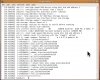
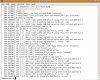
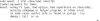
However, I see no way to mount the drive within Linux - it does not appear anywhere in hardware browser, or disk management, or in /etc/fstab, and there are no sda* devices visible in /dev.
When I uncheck the ATAPI-6 Bridge Controller list item, the USB HD power LED does blink, and OS X then tries to mount it (which it can’t, being ext3), showing that there is some kind of connection happening.
(Note that I can mount and see this ext3 USB drive fine on my Linux box in Fedora Core 4.)
As for the WD MyPassport FAT drive, it’s pretty much the same deal, except in the Devices->USB list it appears as
External HDD
and is checked.
As with the other drive, unchecking it frees it to be mounted automatically in OS X (which it can do, so it does).
Independent of Parallels, OS X can see the FAT drive fine.
I have tried to do all this both plugging the drives before and after VM boot, since I read somewhere it won’t work one of the 2 ways (I forget which).
So the question is, does anyone have experience mounting USB ext3 and FAT format drives in Linux on Parallels?
If so, how did you get it to work?
Is it possible that external USB drives must be formatted HFS (the Mac format) to be used in Parallels, even in Linux?
One would think it should at least be able to mount FAT drives, since their use is widespread - so why won't it?
In case you are wondering why I would want to do this, I am trying to copy files from the ext3 drive to the FAT drive, which I cannot do in OS X because it does not recognize ext3 drives (at least not natively, and there appears to be no stable tool that does this).
Yes, I could do this on my old Linux box, but it has USB 1, and a very slow CPU besides, so it takes forever.
Tom
I have tried this both with the latest CentOS (I just upgraded this), and the Fedora Core 10 Desktop Linux Live CD.
I have two USB drives: a WD My Passport, formatted FAT;
and an older hard drive transplanted from a Linux box into a portable USB HD enclosure, formatted ext3.
I cannot get either Linux distro in Parallels to display a filesystem on either USB drive.
I have the Parallels USB option set to automatically go to Guest OS (yes, I rebooted after setting it).
For the ext3 drive, I see the list item
ATAPI-6 Bridge Controller
in Devices->USB on the Parallels top menu, and it is checked. (This is not there when the USB HD power is off.)
However, I see no way to mount the drive within Linux - it does not appear anywhere in hardware browser, or disk management, or in /etc/fstab, and there are no sda* devices visible in /dev.
When I uncheck the ATAPI-6 Bridge Controller list item, the USB HD power LED does blink, and OS X then tries to mount it (which it can’t, being ext3), showing that there is some kind of connection happening.
(Note that I can mount and see this ext3 USB drive fine on my Linux box in Fedora Core 4.)
As for the WD MyPassport FAT drive, it’s pretty much the same deal, except in the Devices->USB list it appears as
External HDD
and is checked.
As with the other drive, unchecking it frees it to be mounted automatically in OS X (which it can do, so it does).
Independent of Parallels, OS X can see the FAT drive fine.
I have tried to do all this both plugging the drives before and after VM boot, since I read somewhere it won’t work one of the 2 ways (I forget which).
So the question is, does anyone have experience mounting USB ext3 and FAT format drives in Linux on Parallels?
If so, how did you get it to work?
Is it possible that external USB drives must be formatted HFS (the Mac format) to be used in Parallels, even in Linux?
One would think it should at least be able to mount FAT drives, since their use is widespread - so why won't it?
In case you are wondering why I would want to do this, I am trying to copy files from the ext3 drive to the FAT drive, which I cannot do in OS X because it does not recognize ext3 drives (at least not natively, and there appears to be no stable tool that does this).
Yes, I could do this on my old Linux box, but it has USB 1, and a very slow CPU besides, so it takes forever.
Tom