Running Parallels 14 and Windows 10 on Mac OS Mojave.
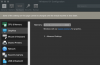
My issue is that the settings under Hardware/Graphics regarding Retina/DPI are sometimes missing resulting in blurry applications in windows.
Currently I only have the option "Memory - Auto (Recommended)" and not the options "Scaled", "Best for retina" etc that you need to be able to configure Windows 10 for best appearance.
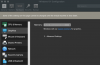
If I do multiple reboots of the client the retina options sometimes comes back but normally I'm stuck with the "blurry" look.
Can an old version of Parallels in some way mess up the settings. I started off with installing Parallels 8 before realizing that this version was not possible to install on Mojave. After purchasing the full license for Parallels 14 I continued the installation.
Currently this is driving me nuts since Windows looks like crap and I don't have the configuration options available to change the behaviour.
Any help is appreciated!
My issue is that the settings under Hardware/Graphics regarding Retina/DPI are sometimes missing resulting in blurry applications in windows.
Currently I only have the option "Memory - Auto (Recommended)" and not the options "Scaled", "Best for retina" etc that you need to be able to configure Windows 10 for best appearance.
If I do multiple reboots of the client the retina options sometimes comes back but normally I'm stuck with the "blurry" look.
Can an old version of Parallels in some way mess up the settings. I started off with installing Parallels 8 before realizing that this version was not possible to install on Mojave. After purchasing the full license for Parallels 14 I continued the installation.
Currently this is driving me nuts since Windows looks like crap and I don't have the configuration options available to change the behaviour.
Any help is appreciated!