
Install the app
How to install the app on iOS
Follow along with the video below to see how to install our site as a web app on your home screen.
Note: This feature may not be available in some browsers.
You are using an out of date browser. It may not display this or other websites correctly.
You should upgrade or use an alternative browser.
You should upgrade or use an alternative browser.
guest win7 can't detect usb device
- Thread starter wjl
- Start date

Maria@Parallels
Problem solver
Hi, did you try to reinstall Parallels Tools?
Hi, did you try to reinstall Parallels Tools?
yes i try to do it ,but it look like no effort
thanks !

Hi, could you tell us the name of the external device that you wanted to connect it to virtual machine so that we could help!yes i try to do it ,but it look like no effort
thanks !
Hi, could you tell us the name of the external device that you wanted to connect it to virtual machine so that we could help!
my hard disk
Attachments
Please check out this article and let us know how it works.my hard disk
Please check out this article and let us know how it works.
i try a usb flash drive(ntfs) and a hard disk ()
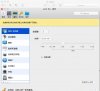
in my hardware tab don't have USB & Bluetooth
Attachments

Please check out this article and let us know how it works.
what can i do ?
We can see that the file system of the USB is Mac OS X Extended Journaled which is not supported in Windows that is the reason this device is not getting mounted in Windows.i try a usb flash drive(ntfs) and a hard disk ()
in my hardware tab don't have USB & Bluetooth
this is fat32 , ntfs also not work wellWe can see that the file system of the USB is Mac OS X Extended Journaled which is not supported in Windows that is the reason this device is not getting mounted in Windows.
Attachments
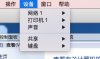
You can select the option Devices > External devices on the Mac menu bar when the VM is running to mount the USB directly to Windows.this is fat32 , ntfs also not work well
i said "i don't have a external device detected window",so i don't known what can i do for itYou can select the option Devices > External devices on the Mac menu bar when the VM is running to mount the USB directly to Windows.
It is not a window I'm suggesting you to look. I suggest you move the cursor to the Mac menu bar find Devices > External Devices > then select the USB, you can only find it on the Mac menu bar when Windows is running and next to the Apple logo it has to show the VM name.i said "i don't have a external device detected window",so i don't known what can i do for it
this b-jpg.12226 ?It is not a window I'm suggesting you to look. I suggest you move the cursor to the Mac menu bar find Devices > External Devices > then select the USB, you can only find it on the Mac menu bar when Windows is running and next to the Apple logo it has to show the VM name.
Please refer to this article.this b-jpg.12226 ?
the pic show that in my pd don't have a external device option . so the article resolution can't solve my problemPlease refer to this article.
this is bug ?or config error ?Please refer to this article.
Hi, it's not a bug. You should scroll down to see USB & Bluetooth. If it is not there, you must add it to "Hardware" tab as shown in the figure.this is bug ?or config error ?
Note: By default USB & Bluetooth is added in the Hardware tab
* Start Parallels Desktop but do not start your virtual machine.
* Go to the Configuration of the virtual machine which you want to access USB device.
* Go to Hardware tab and click '+' sign, choose USB & Bluetooth
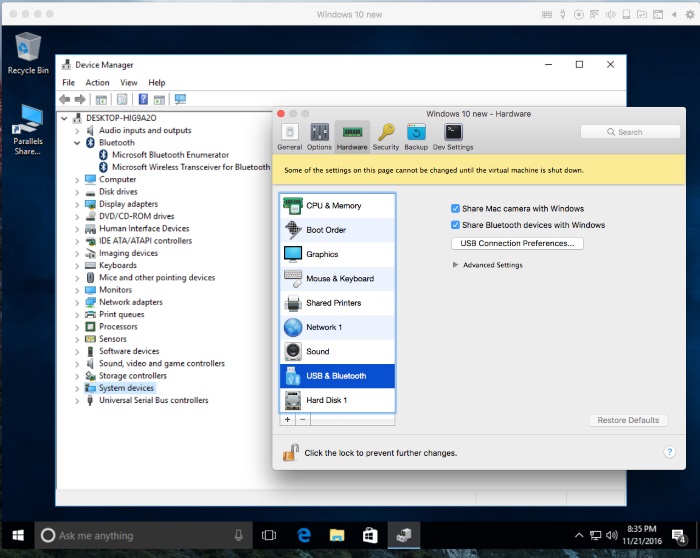
Hi, it's not a bug. You should scroll down to see USB & Bluetooth. If it is not there, you must add it to "Hardware" tab as shown in the figure.
Note: By default USB & Bluetooth is added in the Hardware tab
* Start Parallels Desktop but do not start your virtual machine.
* Go to the Configuration of the virtual machine which you want to access USB device.
* Go to Hardware tab and click '+' sign, choose USB & Bluetooth
thank a lot
Raj@Parallels
Guest
Welcome! Please feel free to reach our support.thank a lot