Hard Disk Check

Willkirby

Bit poster
In the last few weeks, if I reboot my Windows Xp on Parallels it goes into the hard disk check. I get various different messages each time, always preceded by the "press any button if you want to skip" bit, and every time it gets art way through doing whatever it is doing, then stops until I end up having to reset.

If I skip the process it seems to load up fine, but presumably there is some underlying problem. Is there a way I can manually check or remove something, or is it even possible I need to re-install everything?
 
Willkirby said:
In the last few weeks, if I reboot my Windows Xp on Parallels it goes into the hard disk check. I get various different messages each time, always preceded by the "press any button if you want to skip" bit, and every time it gets art way through doing whatever it is doing, then stops until I end up having to reset.

If I skip the process it seems to load up fine, but presumably there is some underlying problem. Is there a way I can manually check or remove something, or is it even possible I need to re-install everything?


Hi!

To manually check the disk for errors please insert the original Windows installation disk into the MAC disk drive and boot the virtual machine using the disk. Proceed to the recovery console and type the following command: chkdsk /R and hit Enter. Chkdsk will check the disk for errors.

Best regards,
John
 
This is what I have now, after not yet trying to do anything, apart from that I managed to get online by changing the network adaptor setting to "bridged ethernet; en1 Airport".

I now have this message if I try and boot Parallels up - "Windows could not start because the following file is missing or is corrupt: \windows\system32\config\system

You can attempt to repair this file by starting Windows Setup using the original setup CD-Rom. Select "r" at the first screen to start repair.

I should make it clear - I am not a techy, frankly I don't know what you were on about with the recovery console talk, without basically giving me step-by-steps I'm not going to get very far.
 
Willkirby said:
This is what I have now, after not yet trying to do anything, apart from that I managed to get online by changing the network adaptor setting to "bridged ethernet; en1 Airport".

I now have this message if I try and boot Parallels up - "Windows could not start because the following file is missing or is corrupt: \windows\system32\config\system

You can attempt to repair this file by starting Windows Setup using the original setup CD-Rom. Select "r" at the first screen to start repair.

I should make it clear - I am not a techy, frankly I don't know what you were on about with the recovery console talk, without basically giving me step-by-steps I'm not going to get very far.

Hello!

1. Please insert Windows installation CD disk into the MAC drive;
2. Start Parallels, Windows and press any key to boot from the CD disk [when required];
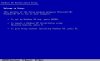
3. You will see the setup screen (see the screenshot attached).
4. Please select "r" and follow the on-screen instuctions;
5. Type "chkdsk /R" without quotes and hit the "Enter" key,

Best regards,
John
 

Attachments

  • Parallels Picture 1.JPG
    Parallels Picture 1.JPG
    21.8 KB · Views: 13
But how do I get to that screen? I literally can't get anything now other than that message, and a black background. Do I have to start a re-install?

I've got to be honest, I'm tempted to cut my losses and just get Bootcamp or something else, Parallels has been a nightmare frankly.
 
Last edited:
Well, 5 days of silence = uninstalled and all remnants removed, and snotty messages about the uselessness of Parallels on pretty much every forum I frequent. Complete waste of my cash.
 
Back
Top