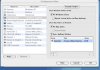
I just installed Windows XP through Parallels on a 2nd machine. It gave me an option saying that I can place an icon for this VM on the desktop and by default this was checkmarked. I like this option a lot.
The problem I have is on my other machine that I have Parallels on I'd like to do the same. I already have a Windows XP VM on that computer but don't have a desktop icon. Is it possible to add this desktop VM icon to a previously installed VM?
The problem I have is on my other machine that I have Parallels on I'd like to do the same. I already have a Windows XP VM on that computer but don't have a desktop icon. Is it possible to add this desktop VM icon to a previously installed VM?