How do I use Toolbox inside a Parallels macOS/M2 VM as part of my Pro subscription?

Parallels Toolbox does not recognize that it is running in an Apple Silicon macOS VM on an activated Parallels Desktop Pro subscription in the host-OS and requires füll reactivation. A VM is still the same computer and should be covered by the license, since the whole purpose of my Parallels Desktop Pro subscription is to run VMs.

How do I get it to run?
 
Parallels Toolbox does not recognize that it is running in an Apple Silicon macOS VM on an activated Parallels Desktop Pro subscription in the host-OS and requires füll reactivation. A VM is still the same computer and should be covered by the license, since the whole purpose of my Parallels Desktop Pro subscription is to run VMs.

How do I get it to run?
Greetings AndreasK27,
To let us proceed with investigation, kindly try performing steps below:
1) Start Parallels Toolbox.
2) In the top menu of Mac find Parallels Toolbox icon > Cogwheel > Account & License.
3) Check your current key.
4) Start your macOS virtual machine.
5) Start Parallels Toolbox.
6) Activate with the same key (Choose "Activate on this Mac")
7) Check how it behaves. Check whether tools works or not.
8) Collect a technical report as per this article: https://kb.parallels.com/en/124107
8) In report provide us with screenshots indicating that your license key works in both systems.
9) Copy 9-digit ID of the report and provide it in a reply message.
We will be waiting for your reply.
 
I followed your instruction. Step 7 says license is already activated, and asks if I want to purchase another or (deactivate+)activate this computer.
The technical report is 422825934
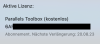
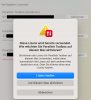
Screenshots (working ID in host and activation error in guest)
FYI, my VM network is in bridge mode. This is in an Apple Silicon macOS VM (with all it's limitations). Please ignore my other licenses shown in the failed activation dialogue background, they are for another machine, I only used the one starting with 6A... on this computer.
Thanks, Andreas
 

Attachments

  • Bildschirmfoto 2023-04-14 um 13.34.18.png
    Bildschirmfoto 2023-04-14 um 13.34.18.png
    65.7 KB · Views: 2
  • Bildschirmfoto 2023-04-14 um 13.37.16.png
    Bildschirmfoto 2023-04-14 um 13.37.16.png
    152.8 KB · Views: 2
I followed your instruction. Step 7 says license is already activated, and asks if I want to purchase another or (deactivate+)activate this computer.
The technical report is 422825934
Screenshots (working ID in host and activation error in guest)
FYI, my VM network is in bridge mode. This is in an Apple Silicon macOS VM (with all it's limitations). Please ignore my other licenses shown in the failed activation dialogue background, they are for another machine, I only used the one starting with 6A... on this computer.
Thanks, Andreas
Greetings AndreasK27,
Thank you for the information provided.
We discussing it internally.
Once we have any updates, we will contact you.
Thank you for understanding.
Stay tuned.
 
I followed your instruction. Step 7 says license is already activated, and asks if I want to purchase another or (deactivate+)activate this computer.
The technical report is 422825934
Screenshots (working ID in host and activation error in guest)
FYI, my VM network is in bridge mode. This is in an Apple Silicon macOS VM (with all it's limitations). Please ignore my other licenses shown in the failed activation dialogue background, they are for another machine, I only used the one starting with 6A... on this computer.
Thanks, Andreas
Greetings AndreasK27,
Thank you for waiting.
We've forwarded your request to the respective team for further discussion.
We don't know when and if it will be implemented, but in any case - we will let you know.
As a workaround, please click "Activate on this Mac" as described above (Step 6).
However, we would like to understand your scenario fully.
Why do you need to run Parallels Toolbox inside macOS VM? Could you describe it?
Any details would be appreciated.
Looking forward to hearing from you soon.
 
Sorry for the delay, was traveling/offline.
My main reason for wanting the toolbox inside the VM is Clean Drive and similar (unpack, app deinstall,...)

Thanks, Andreas
 
Sorry for the delay, was traveling/offline.
My main reason for wanting the toolbox inside the VM is Clean Drive and similar (unpack, app deinstall,...)

Thanks, Andreas
Greetings Andreas,
Thank you for the information provided.
We passed it to the respective team for further discussion.
Let us know if you have any additional questions.
Wishing you a great week ahead!
 
Back
Top