Greenwood Digital
Member
I recently imported my Boot Camp Windows XP installation to a new Parallels VM. The process went flawlessly. However, I migrated from Boot Camp to a new Parallels VM because my Boot Camp partition was running out of space. In the new VM I tried to expand the hard drive. However, it's not working properly at all.
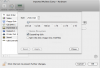
When I go to Virtual Machine->Configure->Hardware->Hard DIsk 1 I get the following screen.
It will allow me to expand the disk, but not the file system. Additionally, the Hard Disk screen for this VM is very different from the other VMs I have. In those I can expand the hard drive and the file system.
How can I resize the filesystem of this VM? Is it a feature that is unavailable when you Import Boot Camp from the file menu?
I'm in a pinch and would love some help!
When I go to Virtual Machine->Configure->Hardware->Hard DIsk 1 I get the following screen.
It will allow me to expand the disk, but not the file system. Additionally, the Hard Disk screen for this VM is very different from the other VMs I have. In those I can expand the hard drive and the file system.
How can I resize the filesystem of this VM? Is it a feature that is unavailable when you Import Boot Camp from the file menu?
I'm in a pinch and would love some help!