BenjaminD4
Bit poster
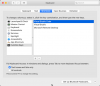
When I go into "Customize Touch Bar" for an application in my Windows VM, I want to have the option to always show the Fn keys (Esc + F1 - F12) when I'm in that app. Right now, I have the option to either turn on function keys for all the apps in the VM, I can add "Default Set" for a specific app, or I can build my own Esc + Fn keys by dragging and dropping for that app. The default Esc+Fn keys touch pad layout is great but if I build my own or do Default Set, I either can't get it quite right or I get extra stuff that I don't need.
This is an especially annoying problem for Visual Studio 2017 because they keys that I want are usually F10, F11, and F12. Yes, I know that there are Touch Bar icons for the touch bar for Visual Studio 2017 already out of the box...but they use only icons and the icons don't make any sense to me.
This is an especially annoying problem for Visual Studio 2017 because they keys that I want are usually F10, F11, and F12. Yes, I know that there are Touch Bar icons for the touch bar for Visual Studio 2017 already out of the box...but they use only icons and the icons don't make any sense to me.