Install the app
How to install the app on iOS
Follow along with the video below to see how to install our site as a web app on your home screen.
Note: This feature may not be available in some browsers.
You are using an out of date browser. It may not display this or other websites correctly.
You should upgrade or use an alternative browser.
You should upgrade or use an alternative browser.
Install MS-DOS 6.22 with physical floppy drive
- Thread starter u.klose
- Start date
 How can I install MS-DOS in a virtual machine using those floppies? I have to to some Assembler coding and want to do that in an MS-DOS environment.
Hello,
unfortunately the VM doesn't boot up correctly using these settings. It says that it's trying to access a floppy disk but can't find any. The LED from my external USB floppy drive doesn't confirm what the VM's saying.
Boot from floppy drive...
Non-System disk or disk error
Replace and press any key when ready
unfortunately the VM doesn't boot up correctly using these settings. It says that it's trying to access a floppy disk but can't find any. The LED from my external USB floppy drive doesn't confirm what the VM's saying.
Boot from floppy drive...
Non-System disk or disk error
Replace and press any key when ready
Hello Stacey,
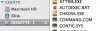
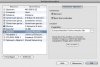
here are the two screenshots you requested. Before I made the screenshots the floppy symbol in the Finder looked different from now, don't know why. The symbol before was a floppy disk.
Greetings,
Ulf
here are the two screenshots you requested. Before I made the screenshots the floppy symbol in the Finder looked different from now, don't know why. The symbol before was a floppy disk.
Greetings,
Ulf