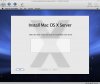
I am trying to install Mac OS X Snow Leopard Server (the current developer seed) in Parallels Dekstop 4.0 for Mac Build 4.0.3810 (December 30, 2008).
The host runs the latest Mac OS X 10.5.6 with all updates applied. I've mounted the Snow Leopard Disk Image. The Snow Leopard installation preparation runs fine. Then it shows the "Select the disk where you want to install Mac OS X Server" screen but there are no disks I can select from. The list simply is empty. "Customize" and "Install" buttons are grayed out. The only active button is the "Back Arrow".
The HDD activity indicator of the Parallels window indicates activity (green light flashing). I've waited for almost an hour now.
Is this normal behavior? How long will it take until I can proceed? Any troubleshooting ideas?
I've created the virtual machine by using Parallel's assistant and customized none of the options so everything is default. Parallels detected the Snow Leopard Server (experimental) guest OS. Am I expected to do any manual step besides the standard way of creating VMs when installing Snow Leopard Server?
Your help is greatly appreciated!
Ralf
The host runs the latest Mac OS X 10.5.6 with all updates applied. I've mounted the Snow Leopard Disk Image. The Snow Leopard installation preparation runs fine. Then it shows the "Select the disk where you want to install Mac OS X Server" screen but there are no disks I can select from. The list simply is empty. "Customize" and "Install" buttons are grayed out. The only active button is the "Back Arrow".
The HDD activity indicator of the Parallels window indicates activity (green light flashing). I've waited for almost an hour now.
Is this normal behavior? How long will it take until I can proceed? Any troubleshooting ideas?
I've created the virtual machine by using Parallel's assistant and customized none of the options so everything is default. Parallels detected the Snow Leopard Server (experimental) guest OS. Am I expected to do any manual step besides the standard way of creating VMs when installing Snow Leopard Server?
Your help is greatly appreciated!
Ralf