Hi recently got a macbook pro retina and plan to shift entirely away from windows. But I still need windows for visual studio + sql server for website development work.
Firstly, I dislike windows 8 and would prefer to run in coherence mode. For most of the windows programs this seems to work reasonably well, however:
1) the display crispness just isn't there. Isn't Parallels 8 supposed to support Retina? If I am using windows Chrome in coherence mode there is a massive difference between it and OSX chrome. This is kind of important to me as I am creating websites in visual studio and testing them seems only to be possible using windows chrome and not osx chrome (be happy to be told I'm wrong though)
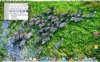
2) some programs do not work with coherence mode - one example is SQL Server Management Console (see screenshot). It only takes up a fraction of the screen and most of the program is missing and is completely unusable. As I work around (which I am being forced to due since coherence mode doesn't work properly) I am having to use Windows in full screen mode, but that opens a new set of issues, namely:
3) I prefer to have my MBP Retina at the 1680x1050 setting, not the default 'best for retina' setting. Using this setting in OSX makes everything tiny in windows full screen or coherence mode - and I have to keep setting the resolution in windows every time Parallel's starts up.
Basically my dream of using a MBP Retina with Parallel's to run visual studio is not working, and I only have 10 days left on my Parallel's 8 trial to sort this out. Please help.
Note: I have tried toggling the 'optimise windows for full resolution' and 'enable full resolution' settings and they do not solve the issue.
Thanks!
Firstly, I dislike windows 8 and would prefer to run in coherence mode. For most of the windows programs this seems to work reasonably well, however:
1) the display crispness just isn't there. Isn't Parallels 8 supposed to support Retina? If I am using windows Chrome in coherence mode there is a massive difference between it and OSX chrome. This is kind of important to me as I am creating websites in visual studio and testing them seems only to be possible using windows chrome and not osx chrome (be happy to be told I'm wrong though)
2) some programs do not work with coherence mode - one example is SQL Server Management Console (see screenshot). It only takes up a fraction of the screen and most of the program is missing and is completely unusable. As I work around (which I am being forced to due since coherence mode doesn't work properly) I am having to use Windows in full screen mode, but that opens a new set of issues, namely:
3) I prefer to have my MBP Retina at the 1680x1050 setting, not the default 'best for retina' setting. Using this setting in OSX makes everything tiny in windows full screen or coherence mode - and I have to keep setting the resolution in windows every time Parallel's starts up.
Basically my dream of using a MBP Retina with Parallel's to run visual studio is not working, and I only have 10 days left on my Parallel's 8 trial to sort this out. Please help.
Note: I have tried toggling the 'optimise windows for full resolution' and 'enable full resolution' settings and they do not solve the issue.
Thanks!