Kaspersky Internet -> No Network Connectivity

I attempted to set up Kaspersky inside my XP VM, and it rebooted XP, but I see no Kaspersky shortcuts, and now my VM can no longer grab a DHCP lease. I'm on a Mac Pro with Leopard and Parallels build 5584.
 
Hello,

please provide me with the following screenshots:
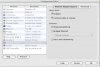
1. Open 'Confoguration Editor' of your VM ('Edit' -> 'Virtual Machine') - > 'Network Adapter' tab.
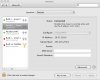
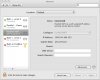
2. Open 'System Preferences' of your Mac, select 'Network' and choose 'Show' -> 'Network Status'.

Best regards,
Stacey
 
Nevermind. I stopped and restarted pvsnatd and the problem is resolved. I guess I should've dug through forum postings more to begin with.
 
Hello,

I am glad that your issue was resolved. If you have any questions, please write me back.
Thank you for using Parallels.

Best regards,
Stacey
 
Back
Top