Last logon User

FredrikR1

Junior Member
Hello,
Would it be possible to inventory last logon user information in a way that it can be viewed in properties on the device object and also in a way that SCCM be automatically configure primary user.
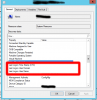
We would like to see these 3 fields populated:
Last Logon Time Stamp
Last Logon User Domain
Last Logon User Name
 

Attachments

  • Last Logon.png
    Last Logon.png
    47.7 KB · Views: 13
Hello @FredrikR1
Apologies for such a delayed response.
Parallels Mac Management performs last logon user data inventory on devices which have Parallels Mac Client installed, however this information cannot be reviewed in device object properties.
In order to check it right-click computer object - Start - Resource Explorer - expand Hardware tree - Network Login Profile section. There you will find information about users who logged into this Mac device. In addition please be advised that Domain Users logon information is stored only for 90 days so in case if user hadn't logged on to this device more than 90 days then there would be no information presented.
However going to your original question - current PMM tool set does not allow to store this information in computer object properties.
 
And just to clarify on the above answer, the information about logons is obviously not stored in the Resource Explorer, which is just a tool for browsing inventory information. The information is stored together with other inventory information. Due to technical limitations on the SCCM side we cannot show that information in the device object property sheet.
 
Hello,
Thanks for the information. I have seen the login information but the request is to be able to make use of the automatic method of SCCM to set primary user on device.
 
That requires support for SCCM user device affinity that is currently not supported. This feature is on the roadmap.
 
Back
Top