
Install the app
How to install the app on iOS
Follow along with the video below to see how to install our site as a web app on your home screen.
Note: This feature may not be available in some browsers.
You are using an out of date browser. It may not display this or other websites correctly.
You should upgrade or use an alternative browser.
You should upgrade or use an alternative browser.
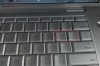
left Bracket key in MSWord 2007
- Thread starter Lars E
- Start date
wonder_mice
Hunter
Why you can't just use "[" or "]" keys on keyboard?
wonder_mice
Hunter


wonder_mice
Hunter
Thank you for the photo. I have redirected the issue to the responsible person. Some investigation must be performed.
Sorry, but you will have to wait for a while.
Sorry, but you will have to wait for a while.
D
Denis V. Lunev
I am very sorry for such a late answer but we have had no idea what to do with that.
There is the only solution for that to create a custom keyboard layout inside Windows. Please follow this Apple guides
http://support.apple.com/kb/HT2587
http://support.apple.com/kb/ht1167
The problem is that Parallels sends the button identifier inside guest and these buttons are interpreted natively by Windows. So, the only solution for your problem is to somehow assign remapping INSIDE guest OS. The layout editor mentioned above seems the solution.
Regards,
Den
There is the only solution for that to create a custom keyboard layout inside Windows. Please follow this Apple guides
http://support.apple.com/kb/HT2587
http://support.apple.com/kb/ht1167
The problem is that Parallels sends the button identifier inside guest and these buttons are interpreted natively by Windows. So, the only solution for your problem is to somehow assign remapping INSIDE guest OS. The layout editor mentioned above seems the solution.
Regards,
Den