Good afternoon, all.
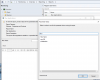
I am attempting to run a report that will show us the applications installed on a Mac, following the steps outlined in the KB article How to create a custom report that shows all applications installed on specified Mac? and I'm only being offered two values to choose from.
This is my second time working with Report Builder. The first time was last week when I followed the How to create a custom report that shows all Mac's with specified application installed? KB article. That one is a success.
I'm at a loss as to what's going on. I've compared the properties of various Macs on campus and nothing seems out of the ordinary. I've recreated the report, stopping before step 8, and without parameters I'm given plenty of information and of course not limited to Macs. I'm going to poke around, try other options and see if anything jumps out at me, but any advice would be greatly appreciated.
Thanks in advance,
DAP
I am attempting to run a report that will show us the applications installed on a Mac, following the steps outlined in the KB article How to create a custom report that shows all applications installed on specified Mac? and I'm only being offered two values to choose from.
This is my second time working with Report Builder. The first time was last week when I followed the How to create a custom report that shows all Mac's with specified application installed? KB article. That one is a success.
I'm at a loss as to what's going on. I've compared the properties of various Macs on campus and nothing seems out of the ordinary. I've recreated the report, stopping before step 8, and without parameters I'm given plenty of information and of course not limited to Macs. I'm going to poke around, try other options and see if anything jumps out at me, but any advice would be greatly appreciated.
Thanks in advance,
DAP