Logitech setpoint will not detect mouse in parallels Vista

spinedoc

Bit poster
I can get my mouse to work just fine using parallels driver, EXCEPT only the left/right button and scroll wheel work on the mouse. The other accessory buttons, like back, forward, etc etc do not work.

Installing logitech's setpoint should allow me to configure all the accessory buttons, but setpoint cannot detect my mouse. So I am stuck with my mouse that works ok for basic functions, but cannot use the extra buttons it came with.

It's parallels 3.0 under mac 10.5.2 and Vista Ultimate. The mouse is a Nano laser notebook mouse.

Anyone have any input?
 
Missing driver

Windows XP:

In Logitech's troubleshooting manual, if reinstalling the software doesn't work, they suggest renaming the driver file wdf01000.sys to wdf01000.bak then reinstalling again. The problem I encountered was that this file didn't exist to begin with. I imagine it has something to do with the USB ports as Logitech's device detector couldn't recognize my software either.

I'd love to hear any solutions for this issue.

- Chris
 
Hi Chris,
please answer Shaddam's questions. And, please send problem report via Help > Report a problem and post report ID here.
 
Setpoint and Parallels

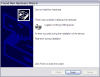
I am trying to bind to the VM. I've since tried removing the USB plug from the machine and reconnecting it while windows is running to try and prompt it's automatic hardware recognition. It did recognize a new USB device, but returned a fatal error when it tried to install it.
 

Attachments

  • 2010-02-19_155515.png
    2010-02-19_155515.png
    14.1 KB · Views: 10
Same Problems

I have Logitech's Anywhere MX travel mouse and am seeing the same problems you're reporting. I have basic functionality with my two clickable buttons and the scroll wheel, however my back button just changes the window size and position.

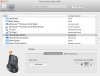
From reading online I found someone with this same issue who had a Microsoft mouse who was able to go into the Apple OS Settings area, open the Microsoft Mouse settings window and could specify different button assignments for different profiles listed in a dropdown box that the mouse was associated with (i.e. Global, Mac OS, Parallels). When I go into the Logitech Control Center settings window in the Apple OS Settings area and then select my Anywhere MX mouse there's a spot for a dropdown that "Global Settings" but it's disabled and I can't click it.

I would love if Parallels could somehow allow the Logitech SetPoint application to "find" my mouse because not having the back button work is annoying!
 
I have the same issue with a Logitech Performance MX.

Everything works, except the back button which changes the size of the window.

If I assign a different function to the back button in the Logitech Control Centre, like screenshot, the back button works and does take a screenshot. So it looks like it's only the back button function that doesn't work properly.

It does work correctly in Safari, so it's clearly a Parallels issue.

Could you please correct this or offer a workaround?

Thanks
 
I just found a workaround:):

In the logitech control centre (on the Mac, don't install the Logitech software in the VM), select the mouse you want to configure, select buttons, in the name list locate the thumb back button, select "keystroke" instead of "back" for the action and type the left arrow, and the option key as the modifyer (alt on a PC).

This send the shortcut ALT-LEFT ARROW with gives you the previous page in IE (full list of IE shorcuts here http://support.microsoft.com/kb/306832). See attached screenshot for details.

Do the same for the thumb forward button, and select right arrow and option key as modifyier. This will make next page work in IE.

The downside is that it invalidates the back/forward buttons in Safari (as they work in Safari with the default settings, just not in IE), so it's a good workaround if you work primarily in the Windows VM (that's what I do), not so great if Safari is your main browser.

I have opened a support ticket [Parallels #1402650] before I found this workaround (with a link to this thread) so hopefully this will be solved soon and the buttons will work in both the Mac and the VM environment.

Hope this helps,

Manni

PS: if you have Lion, you can't install the last Control Centre on the Mac (it tells you the OS is not valid). You need to unpack the .app content and launch the LCC installer in the Contents/Mac OS folder of the package.
 

Attachments

  • Logitech Control Centre.jpg
    Logitech Control Centre.jpg
    78.5 KB · Views: 17
Last edited:
Logitech Performance MX mouse not detected in windows with SetPoint

I have this same issue. I have a Logitech performanc MX mouse and I'm trying to use the native windows "SetPoint" drivers for it.

In the parallels menu I have checked "Devices-->Usb-->Usb Reciever". In Setpoint it does not recognize the mouse. The moues appears to be working but after using it a bit it is stuttering. Also none of the extra buttons seem to work.

Parallels can you provide some guideance on how to directly use Logitech mice when using the drivers Nativity in Parallels/Windows.
 
Back
Top