dsommerville
Bit poster
I'm evaluating Parallels at the moment and so far have been impressed, expect for one thing - there appears to be no sound support...
I'm using the following setup:
Host: MacBook Pro with OSX 10.5.8 (Leopard) installed (2.4 GHz Intel Core 2 Duo [2Gb RAM])
Guest: WinXP Pro SP3 (vanilla install fully patched)
Parallels: Parallels Desktop for Mac 7.0.14924
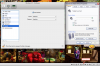
I have installed Parallels Tools on the guest, which appears to have worked fine and I have checked the WinXP Device Manager, but all seems in order; there are no "question marks" suggesting unresolved drivers, etc - it simply looks as though audio "hardware" as not been provided by Parallels - this is reinforced by the Hardware options listed under Parallels.
Is it possible to get sound working using Parallels 7 and WinXP?
Many thanks.
I'm using the following setup:
Host: MacBook Pro with OSX 10.5.8 (Leopard) installed (2.4 GHz Intel Core 2 Duo [2Gb RAM])
Guest: WinXP Pro SP3 (vanilla install fully patched)
Parallels: Parallels Desktop for Mac 7.0.14924
I have installed Parallels Tools on the guest, which appears to have worked fine and I have checked the WinXP Device Manager, but all seems in order; there are no "question marks" suggesting unresolved drivers, etc - it simply looks as though audio "hardware" as not been provided by Parallels - this is reinforced by the Hardware options listed under Parallels.
Is it possible to get sound working using Parallels 7 and WinXP?
Many thanks.