Mountain Lion - can't create a new VM from dvd

PatrickJ

Member
(completely fresh install - reformat the whole computer once Mountain Lion was released; using P7 15104)

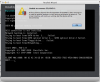
Creating a VM from a setup DVD isn't working for me. I've tried customizing the VM settings to use 'Default CD/DVD'. Nothing else is running the background accessing the DVD drive.

I only took a screenshot of Windows 7, but it does the same thing with an Ubuntu dvd.
 

Attachments

  • Screen Shot 2012-07-29 at 2.21.59 PM.png
    Screen Shot 2012-07-29 at 2.21.59 PM.png
    208.9 KB · Views: 43
Same Problem for Me

I am seeing the same problem, I attempted this with two different Macs, though both are on Mountain Lion, one is a MacMini the other is a Retina Macbook with an external DVD
 
Guys, can anyone of you kindly send a Problem report from Help menu --> Report a problem.
Please post the report ID here afterwards.

Thanks.
 
Support Request Ticket 16852765 has been submitted

I have submitted the support request. I will be attempting this install on another Mac in the next few days as well.
 
KWS_User, thank you for your report.
Do you have external drive turned-on and connected to a Mac, while you are creating a virtual machine?
I do not see any physical DVD drives connected to your Mac within provided report data.

A small note. If someone else wishes to send another report data, please
generate it with running VM showing BIOS messages after closing a message "Unable to connect".
Thank you!
 
Response to Configuration Questions

I experienced the problem on multiple systems with the folllowing configurations:

- Retina MacBook Pro with external DVD drive and External hard drive
- Mac Mini using internal DVD with an external Hard Drive connected

I don't recall if I attempted an install on the MBP without the external hard disk, but will attempt this later and submit another ticket with that configuration file.
 
Confirm issue exists with no external drive

I attempted this again with no external Hard drive and the issue still exists. I submitted another Service Request, 16874473 to ensure that the configuration file when the issue occurs is provided.
 
KWS_User thank you for this report.
At this time pd can not get access you drive because it's busy.
Make sure that no application accesses DVD media at this time.
We will investigate this issue.
 
Hi,
I have exactly the same problem. Impossible to install a new virtual machine cause the DVD is not recognized.
I tried to reinstall parallels desktop, i read all informations on the KB. Nothing to do.
I have a mid-2012 macbook pro 15" and i want to install Windows 7
Thanks for any help
 
Having same issue, just submitted problem report

I'm having the same issue. It appears to have started around the time I upgraded to mountain lion. The built in dvd drive is not being released by the host OS, so parallels reports it is "in use" and sets it to disabled. Problem report #17482445
 
I have exactly the same issue with Mac OS X 10.8.1 and Parallels 7.0.15106 on a MacBook Pro (mid 2010).
Parallels without Windows is pretty much useless for me...Is there any solution or a workaround yet?
 
Same problem here. Problem report #17635790

It is really unacceptable that Parallels has not come up with a solution to this. They had access to Mountain Lion well before the public release and had plenty of time to test Parallels with all major programs such as Windows 7.
 
As a workaroung a may suggest to remove media from DVD drive while starting the VM.
After VM started you can insert media.
Another way is to unmount DVD volume before starting the VM, i.e smth like typing a command in console:
"$diskutil umount disk1" or using GUI Disk Utility.
 
As a workaroung a may suggest to remove media from DVD drive while starting the VM.
After VM started you can insert media.
Another way is to unmount DVD volume before starting the VM, i.e smth like typing a command in console:
"$diskutil umount disk1" or using GUI Disk Utility.

neither of these two approaches works for me...

I upgraded to Mountain Lion because Parallels confirmed that Parallels 7 would work with Mountain Lion. When is Parallels coming out with a solution that actually works?
 
Unable to connect to CD/DVD 1

Try creating the virtual machine without any disc and continue and after creating the VM . got to VM => Configure => Hardware => CD/DVD1 add the image over there . If the DVD is not working try creating an ISO image of the DVD and try. This works.
 
Problem solved

I'm getting back to the forum just to let you know that my problem is solved.
The solution is:
- download the latest PD7 install .dmg;
- run it;
- select "Uninstall";
- check the "Delete app settings" mark;
- uninstall PD7;
- delete the VM with failed Win7 install;
- reboot your Mac;
- install PD7 again.
I was able to create the Win7 VM using the DVD after that with no problems.
 
VadimM, I think that your solution is a temporary workaroung that works only until Mac reboot.
Again, a workaround I suggest to connect an empty drive to the VM and insert media after VM started.
 
I am having the same problem

Been using virtual box for the past year or so and wanted to give parallels another try (I've used version 3,4 & 5 of parallels). Spending an hour trying to get parallels 7 to access my cd / dvd is not off to a good start.
 
Back
Top