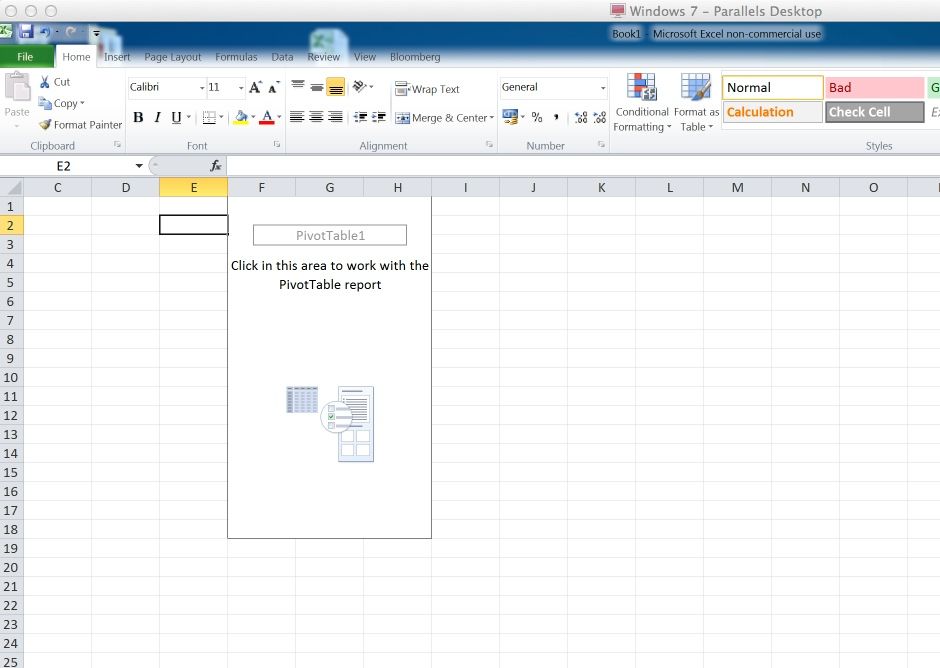
I am running using Parallels Desktop for Mac 8 to run MS Office 2010 on my Macbook Pro Retina. I am experiencing issues using PivotTables in MS Excel. When I generate a PivotTable I get a gray screen after the pivot table has been generated when I click on the PivotTable to start building the PivotTable report. The gray screen disappears when I move the selected cell outside the PivotTable using my keyboard. Please see photos below.
I have already discussed this with Parallels' technical support who recommended that I should reinstall MS Office which I have done. This solved the issue for a few days but last night the issue reoccured.
Any input / thoughts would be much appreciated.
Thank you
Jacques

I have already discussed this with Parallels' technical support who recommended that I should reinstall MS Office which I have done. This solved the issue for a few days but last night the issue reoccured.
Any input / thoughts would be much appreciated.
Thank you
Jacques