Parallels build 5.0.9310, Windows 7 Ultimate with all updates, MacOS 10.6.2.
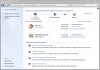
I just installed a new Windows 7 VM, and everything worked as advertised. However, when I boot the VM it doesn't see my home network. If I go to the Network and Sharing Center in Windows 7, it shows my VM connected to two networks, my home network and a public network (see attached image). The adapter is configured in Parallels for shared networking.
I can't find a way to disable or delete the public network. However, if I disable and then enable the network adapter in Windows 7, only my home network appears (with no further action required on my part) and everything works fine until I restart the VM. Once the network is configured correctly, I can't find a reference to the public network anywhere.
Thanks for any suggestions.
I just installed a new Windows 7 VM, and everything worked as advertised. However, when I boot the VM it doesn't see my home network. If I go to the Network and Sharing Center in Windows 7, it shows my VM connected to two networks, my home network and a public network (see attached image). The adapter is configured in Parallels for shared networking.
I can't find a way to disable or delete the public network. However, if I disable and then enable the network adapter in Windows 7, only my home network appears (with no further action required on my part) and everything works fine until I restart the VM. Once the network is configured correctly, I can't find a reference to the public network anywhere.
Thanks for any suggestions.