
Hello
I have just purchased a new iMac running High Sierra 10.13.5
I need ti be able to use a Computer Assisted Translation Tool, which needs to run on Windows.
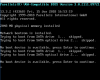
I have installed Parallels Windows for Mac. I can see its icon in the Dock, and on my Desktop I can see a Windows 10 icon, but if I click on either of them, I see this error message:
I have searched the support resources, but find I'm baffled by the jargon.
Can anyone tell me in simple terms what I need to do? I would be extremely grateful.
Ann
I have just purchased a new iMac running High Sierra 10.13.5
I need ti be able to use a Computer Assisted Translation Tool, which needs to run on Windows.
I have installed Parallels Windows for Mac. I can see its icon in the Dock, and on my Desktop I can see a Windows 10 icon, but if I click on either of them, I see this error message:
I have searched the support resources, but find I'm baffled by the jargon.
Can anyone tell me in simple terms what I need to do? I would be extremely grateful.
Ann