Hi,
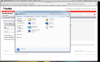
You can't see Mac OS X applications through Windows application's title bar even if Aero transparency is on. Application in the same Virtual Machine will be visible only. First picture shows this situation.
So Aero may works in your situation. To clear it up do the next things:
1) Show Windows TaskBar (select Menu->View->ShowWindowsTaskbar).
2) Launch any windows application (Windows Explorer e.g.).
3) Move mouse to the icon of launched program on TaskBar (do not click on it).
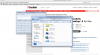
If Aero really works you will see window's preview (see the second picture).
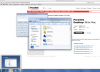
If Aero dosn't work you will see only window's caption (see the third picture).