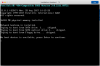
Hello can someone please help me with this error, installing windows 7 on parallels 13.
I already have installed and working a license of win 10
Thank you
Please click on the link https://www.microsoft.com/en-in/software-download to download Windows 7 ISO image file and once the download is complete please follow the steps suggested at http://kb.parallels.com/4729 to install Windows 7 virtual machine .
(Note: the article is for Windows 10 but can also be followed for Windows 7)
Thanks
We would request you to follow the below steps:
1. Click on Install Windows > Select Continue without the source > Select Windows 7 > Select the profile you want > Select Configure > Hardware > Cd/DVD > Mount the ISO Image file for Windows and Go To Boot Under in the Hardware Menu > Move the CD/DVD to op and close the VM Configuration Window and Click Continue and "Press any key to continue the installation" and check if it works.
Thanks