open pvm file

wenfengw

Bit poster
I have *.vmx file, can be opened VMware free trail. But after import to parallel desktop 8 for Mac (at Mac os 10.8.4), I saw the below messages, continuing forever.

"nmi received for unknown reason 21
Do you have a strange power saving mode enabled? Dazed and confused, but trying to continue."

Any suggestion? Thanks in advance.


Wenfeng
 
Last edited:
Thanks for response. It's Red Hat Enterprise Linux 5.

Paralles Deskto 8 for Mac. *vmx file can be opened VMware fusion.
 
Thanks for helping. But the problem remains after change acpi=off

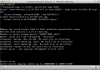
GNU GRUB
root (hd0,0)
kernel /boot/vmlinuz-2.6.18-194.17.4.e15 ro root=LABEL=/ rhgb quiet divider=10 acpi=force
initrd /boot/initrd-2.6.18-194.17.4.e15.img

What else can I do?
 
I see ACPI being forced in the boot (shouldn't be there?).

You may try disabling show battery status in virtual machine in the VM configuration.

You may also play with some boot flags like "devices.apic.disable":
attachment.php
 
No. There's something up with the boot process and power, that's all I know, probably something to do with some specific optimization for VMWare, if you could open the image in VMWare player and uninstall everything vmware related before importing to Parallels that would be better.

Also, you should post this in the Linux subforum instead of general questions.
 
Back
Top